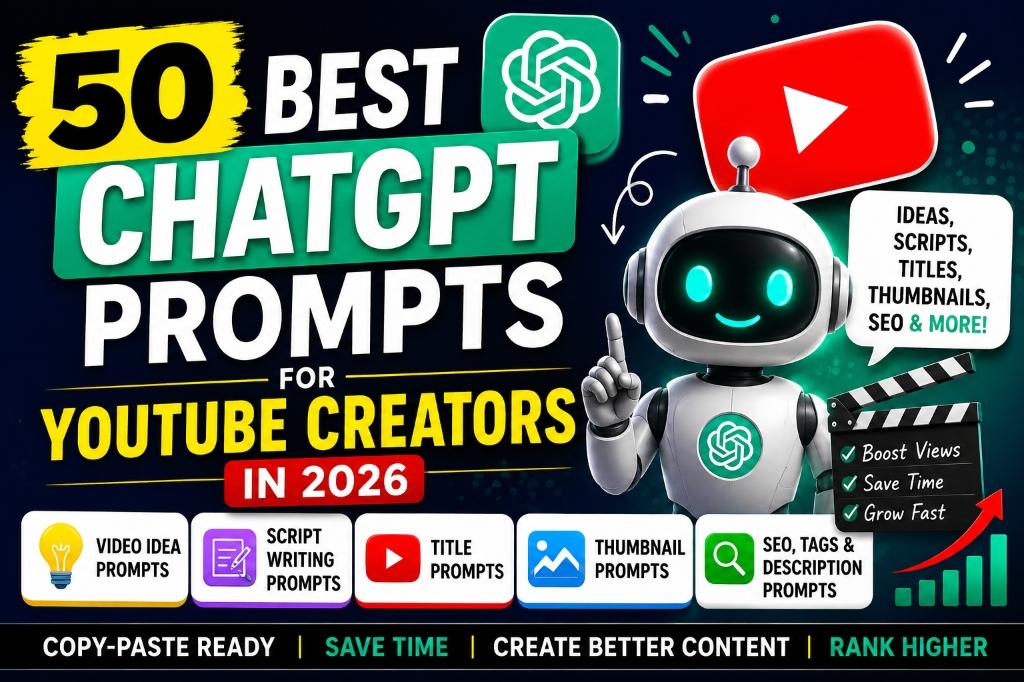
Introduction: Why YouTube Creators Are Using ChatGPT in 2026
| Creator Task | What ChatGPT Can Help With |
|---|---|
| Video Ideas | Generate trending, evergreen, and niche-specific topic ideas |
| Scripts | Write full scripts, hooks, intros, CTAs, and retention-focused rewrites |
| Titles | Create curiosity-driven, SEO-friendly, and A/B testable titles |
| Thumbnails | Suggest thumbnail text, layouts, color schemes, and visual concepts |
| Descriptions | Write SEO-optimized descriptions with keywords and chapters |
| SEO & Tags | Research keyword clusters, generate relevant tags, and write hashtags |
| Shorts | Create fast hooks, 30-second scripts, captions, and Shorts series ideas |
| Community Posts | Draft polls, engagement questions, and announcement posts |
Best ChatGPT Prompts for YouTube Creators: Quick Access
| Prompt Category | Best For | Jump Link |
|---|---|---|
| Video idea prompts | Niche ideas, evergreen topics, series planning | Go to ideas |
| YouTube title prompts | Tutorials, comparisons, lists, case studies, Shorts | Go to titles |
| Script writing prompts | Hooks, explainers, stories, tutorials, comparisons | Go to scripts |
| YouTube Shorts prompts | 15-60 second scripts, hooks, captions, series | Go to Shorts |
| Thumbnail concept prompts | Layout, hierarchy, emotion, text, contrast | Go to thumbnails |
| Description and SEO prompts | Keywords, chapters, descriptions, metadata | Go to SEO |
| Audience engagement prompts | Community posts, polls, comments, feedback | Go to engagement |
| Prompt framework | Reusable formula for better outputs | Go to framework |
| Creator workflow | Research to publish workflow | Go to workflow |
How to Use These ChatGPT Prompts for YouTube
Every prompt in this guide contains placeholders like [your niche], [your target audience], or [your video topic]. Replace these with your actual details. The more specific you are, the better ChatGPT's output will be.
Instead of just pasting a generic prompt, add a line like: "My channel covers budget tech reviews for college students in India. My tone is casual and funny." This context dramatically improves the quality of every response.
ChatGPT gives you a strong first draft, but your audience watches you for a reason. Add your personal stories, opinions, and expertise. Remove anything that sounds generic or robotic.
AI can generate confident-sounding claims that are inaccurate. Always double-check statistics, product specifications, dates, and pricing before including them in your videos or descriptions.
Use ChatGPT to generate multiple title and thumbnail variations. Then A/B test them using YouTube's built-in thumbnail testing feature or third-party tools to see what resonates with your audience.
How to Write Better ChatGPT Prompts for YouTube
- ROLE: Tell ChatGPT who it should act as, such as a YouTube strategist, script editor, Shorts writer, or thumbnail creative director.
- CONTEXT: Explain your channel niche, content style, upload frequency, and what the video is trying to achieve.
- AUDIENCE: Define who the video is for, including skill level, location, problem, goal, or buying stage.
- TASK: Clearly state the output: ideas, titles, script, outline, thumbnail concepts, description, chapters, poll, or comment replies.
- CONSTRAINTS: Specify length, tone, structure, platform, keywords, claims to avoid, and what should not be included.
- OUTPUT: Tell ChatGPT how to format the answer, such as a table, numbered list, script blocks, hooks, or title variations.
How YouTube Creators Can Use ChatGPT in Their Workflow
- Research audience problems from comments, competitor videos, forums, search suggestions, and analytics.
- Brainstorm video ideas with ChatGPT, but manually validate demand in YouTube search and your analytics.
- Choose one topic and define the viewer promise before writing.
- Create an outline with sections, examples, and retention points.
- Draft the script with ChatGPT, then add your personal expertise and demonstrations.
- Rewrite the hook and intro in your natural speaking voice.
- Develop title options for search intent and click appeal without misleading viewers.
- Brainstorm thumbnail concepts, visual hierarchy, and text ideas before designing in Canva, Photoshop, or an AI image tool.
- Create the description, chapters, pinned comment, and community post.
- Review the final package for accuracy, originality, YouTube policy compliance, and audience value.
1. YouTube Video Idea Prompts
Example output idea: "7 AI Study Tools That Are Replacing Google for Students in 2026" — covers a current trend with high search interest among student audiences.
Example output idea: "How to Set Up a Home Studio for Under $200" — a topic beginners search for constantly, regardless of season.
Example output idea: "10 Websites That Will Pay You $50/Day" — uses screen recordings of each website with a voiceover walkthrough.
Example output idea: "How to Use AI for Meal Planning on a College Budget" — a practical topic that fitness and student channels rarely cover together.
Example output idea: "5 Free Apps Every Student Needs on Their Phone" — easy to produce with screen recordings and a simple voiceover.
Example output idea: Series: "AI Tool of the Week" — Episode 1: "This AI Writes Your Emails in 10 Seconds," Episode 2: "This AI Creates Presentations Instantly," and so on.
Example output idea: "Best Budget Laptops for Students — Back to School 2026" — publish in late July to catch August searches.
Example output idea: "I Used Only AI Tools for 30 Days to Run My Business — Here's What Happened" — the curiosity about the result keeps viewers watching.
Example output idea: "Why Your YouTube Videos Get 0 Views (And How to Fix It Today)" — directly addresses the frustration of new creators.
Example output idea: A calendar showing Week 1: Monday — "5 AI Tools for Students" (listicle), Wednesday — "ChatGPT vs Gemini for Homework" (comparison), Friday — 60-second Shorts tip.
Customize: [YOUR NICHE], [TARGET AUDIENCE], and content format.
Customize: [YOUR NICHE] and [PRIMARY KEYWORD].
Customize: [YOUR NICHE] and [CURRENT MONTH].
Output Example — Prompt 1
Tool: Author must supply · Version: Author must supply
Output Example — Prompt 2
Tool: Author must supply · Version: Author must supply
Output Example — Prompt 3
Tool: Author must supply · Version: Author must supply
Output Example — Prompt 4
Tool: Author must supply · Version: Author must supply
Output Example — Prompt 5
Tool: Author must supply · Version: Author must supply
Output Example — Prompt 6
Tool: Author must supply · Version: Author must supply
Output Example — Prompt 7
Tool: Author must supply · Version: Author must supply
Output Example — Prompt 8
Tool: Author must supply · Version: Author must supply
Output Example — Prompt 9
Tool: Author must supply · Version: Author must supply
Output Example — Prompt 10
Tool: Author must supply · Version: Author must supply
Output Example — Prompt 51
Tool: Author must supply · Version: Author must supply
Output Example — Prompt 52
Tool: Author must supply · Version: Author must supply
Output Example — Prompt 53
Tool: Author must supply · Version: Author must supply
2. YouTube Script Writing Prompts
Example output idea: A 10-minute script about "5 Free AI Tools Every Student Needs" with a hook like: "The tool I'm about to show you third saved me 6 hours last week. Stick around."
Example output idea: Hook: "90% of new YouTubers quit within the first 90 days. By the end of this video, you will know exactly what the other 10% do differently."
Example output idea: A tutorial script for "How to Set Up ChatGPT for Your YouTube Workflow" with 7 clear steps and a 1-minute recap at the end.
Example output idea: A 7-minute story about "How I Went From 0 to 1000 Subscribers Using Only Free Tools" with an emotional turning point where you almost quit.
Example output idea: A 6-minute narration about "10 AI Side Hustles You Can Start This Weekend" with visual cues for each hustle transition.
Example output idea: A review of "Samsung Galaxy S26 Ultra" covering camera, battery, and AI features with a comparison to the iPhone 17 Pro.
Example output idea: "7 Best Free AI Tools for YouTubers in 2026" with each tool getting 60 to 90 seconds of screen time.
Example output idea: "ChatGPT vs Gemini for YouTube Creators — Which One Is Better in 2026?" comparing script quality, SEO help, speed, and pricing.
Example output idea: Ending: "That was my honest take on the best AI tools this month. If you want to see which tools make the cut next month, subscribe. Now tell me in the comments — which tool are you trying first?"
Example output idea: Your original script about "How to Start a YouTube Channel" gets rewritten with stronger open loops like "In step 4, I'll share the one setting most beginners miss that costs them thousands of views."
Customize: the two options, audience, and decision criteria.
Customize: paste your real script and specify [TONE].
Customize: [VIDEO TOPIC] and your real experiences.
Output Example — Prompt 11
Tool: Author must supply · Version: Author must supply
Output Example — Prompt 12
Tool: Author must supply · Version: Author must supply
Output Example — Prompt 13
Tool: Author must supply · Version: Author must supply
Output Example — Prompt 14
Tool: Author must supply · Version: Author must supply
Output Example — Prompt 15
Tool: Author must supply · Version: Author must supply
Output Example — Prompt 16
Tool: Author must supply · Version: Author must supply
Output Example — Prompt 17
Tool: Author must supply · Version: Author must supply
Output Example — Prompt 18
Tool: Author must supply · Version: Author must supply
Output Example — Prompt 19
Tool: Author must supply · Version: Author must supply
Output Example — Prompt 20
Tool: Author must supply · Version: Author must supply
Output Example — Prompt 54
Tool: Author must supply · Version: Author must supply
Output Example — Prompt 55
Tool: Author must supply · Version: Author must supply
Output Example — Prompt 56
Tool: Author must supply · Version: Author must supply
3. YouTube Title Prompts
Example output idea: "The YouTube Setting Nobody Tells Beginners About"
Example output idea: "ChatGPT Prompts for YouTube — 50 Free Templates for 2026"
Example output idea: "This AI Tool is Insane 🤯"
Example output idea: Original: "The Complete Beginner's Guide to Starting a YouTube Channel From Scratch in 2026" (79 chars) → Rewritten: "Start a YouTube Channel From Scratch (2026 Guide)" (50 chars)
Example output idea: "YouTube SEO for Beginners — Rank Your First Video"
Example output idea: "CapCut vs DaVinci Resolve — Best Free Editor in 2026?"
Example output idea: "YouTube Videos Getting 0 Views? Fix This One Thing"
Example output idea: "YouTube's New 2026 Rules — Change This Before July"
Example output idea: Set 1: (A) "I Tried AI for 30 Days — Shocking Results" vs (B) "How to Use AI Daily — 30-Day Experiment Results"
Example output idea: Draft: "My Favorite AI Tools" → Improved: "7 AI Tools I Use Every Single Day (All Free)"
Customize: [VIDEO TOPIC] and [PRIMARY KEYWORD].
Customize: current title, keyword, and topic.
Customize: [VIDEO TOPIC], [VIDEO LENGTH], and [TONE].
Output Example — Prompt 21
Tool: Author must supply · Version: Author must supply
Output Example — Prompt 22
Tool: Author must supply · Version: Author must supply
Output Example — Prompt 23
Tool: Author must supply · Version: Author must supply
Output Example — Prompt 24
Tool: Author must supply · Version: Author must supply
Output Example — Prompt 25
Tool: Author must supply · Version: Author must supply
Output Example — Prompt 26
Tool: Author must supply · Version: Author must supply
Output Example — Prompt 27
Tool: Author must supply · Version: Author must supply
Output Example — Prompt 28
Tool: Author must supply · Version: Author must supply
Output Example — Prompt 29
Tool: Author must supply · Version: Author must supply
Output Example — Prompt 30
Tool: Author must supply · Version: Author must supply
Output Example — Prompt 57
Tool: Author must supply · Version: Author must supply
Output Example — Prompt 58
Tool: Author must supply · Version: Author must supply
Output Example — Prompt 59
Tool: Author must supply · Version: Author must supply
4. YouTube Thumbnail Prompts
Example output idea: For a video titled "7 AI Tools for Students" — Thumbnail text: "ALL FREE" in white bold on a dark blue banner.
Example output idea: Concept 1: Close-up of a shocked face with a laptop showing ChatGPT, dark background with neon green text "GAME CHANGER," emotion: surprise and curiosity.
Example output idea: Expression: Wide eyes and open mouth looking at the screen. Position: Face on the left third, AI tool interface on the right third. Why: The shocked reaction creates curiosity about what the tool did.
Example output idea: Concept: A split-screen showing a messy desk on the left (labeled "BEFORE") and a clean AI dashboard on the right (labeled "AFTER"), bright yellow dividing line.
Example output idea: Before: Blurry, poorly lit photo (labeled "RAW"). After: Crystal clear, color-graded version (labeled "EDITED"). Separated by a diagonal lightning bolt in yellow.
Example output idea: A clean screenshot of ChatGPT's interface with a bold "FREE GUIDE" overlay and a step-number badge showing "7 STEPS" in the corner.
Example output idea: Dark navy background (#0A0E27) with a glowing ChatGPT logo, holographic text reading "50 PROMPTS" in electric cyan (#00F0FF), subtle circuit board pattern in the background.
Example output idea: An in-game screenshot of a victory moment with bold red text "PRO SETTINGS," ranked #1 badge in the corner, and a dramatic radial blur effect on the background.
Example output idea: A clean white background with a simple flowchart showing "Idea → Script → Upload → Grow" in bold colored boxes, with text overlay "YOUTUBE FORMULA" in navy blue.
Example output idea: Pair 1 tests text: Thumbnail A says "FREE TOOLS" vs Thumbnail B says "MUST HAVE." Same face, same background. Test which text drives more clicks.
Customize: [VIDEO TOPIC], audience emotion, and brand colors.
Customize: [VIDEO TOPIC] and viewer intent.
Output Example — Prompt 31
Tool: Author must supply · Version: Author must supply
Output Example — Prompt 32
Tool: Author must supply · Version: Author must supply
Output Example — Prompt 33
Tool: Author must supply · Version: Author must supply
Output Example — Prompt 34
Tool: Author must supply · Version: Author must supply
Output Example — Prompt 35
Tool: Author must supply · Version: Author must supply
Output Example — Prompt 36
Tool: Author must supply · Version: Author must supply
Output Example — Prompt 37
Tool: Author must supply · Version: Author must supply
Output Example — Prompt 38
Tool: Author must supply · Version: Author must supply
Output Example — Prompt 39
Tool: Author must supply · Version: Author must supply
Output Example — Prompt 40
Tool: Author must supply · Version: Author must supply
Output Example — Prompt 60
Tool: Author must supply · Version: Author must supply
Output Example — Prompt 61
Tool: Author must supply · Version: Author must supply
5. YouTube SEO, Description, Tags and Keywords Prompts
Example output idea: A 250-word description for "ChatGPT Prompts for YouTube Creators" that opens with the keyword in a natural sentence and includes links to related videos.
Example output idea: Benefit-focused: "These 50 ChatGPT prompts for YouTube creators will cut your content planning time in half. Copy, paste, customize, and publish faster than ever."
Example output idea: 0:00 Introduction | 0:45 Video Idea Prompts | 3:20 Script Writing Prompts | 6:10 Title Prompts | 8:30 Thumbnail Prompts | 11:00 SEO Prompts
Example output idea: Tags: chatgpt prompts for youtube, youtube script prompts, ai prompts youtube creators, youtube seo 2026, chatgpt youtube tips, video idea generator, youtube title prompts
Example output idea: Cluster 1 — Primary: "ChatGPT for YouTube," Secondary: "AI YouTube tools, ChatGPT scripts, AI video ideas," Long-tail: "how to use ChatGPT for YouTube scripts," Video idea: "Complete ChatGPT Guide for YouTubers."
Example output idea: Top 3: #ChatGPTPrompts #YouTubeCreators #AIforYouTube — These combine search volume with specificity.
Example output idea: Pinned: "Which prompt are you trying first? I personally use #11 (script writing) every single week! 🎬"
Example output idea: Poll: "Which AI task takes you the longest? 🤔" Options: Writing scripts / Making thumbnails / SEO optimization / Finding ideas
Example output idea: A description for a playlist called "AI Tools for YouTube Creators" that opens with the keyword and explains the playlist covers script writing tools, thumbnail generators, SEO assistants, and more.
Example output idea: Audit finds: "Your keyword is in the title but not in the first line of the description. Moving it there could improve ranking. Your tags are too broad — add 5 long-tail variations."
Customize: [VIDEO TOPIC], [PRIMARY KEYWORD], and audience.
Customize: topic, timestamps, keyword, and CTA.
Customize: [VIDEO TOPIC] and [PRIMARY KEYWORD].
Output Example — Prompt 41
Tool: Author must supply · Version: Author must supply
Output Example — Prompt 42
Tool: Author must supply · Version: Author must supply
Output Example — Prompt 43
Tool: Author must supply · Version: Author must supply
Output Example — Prompt 44
Tool: Author must supply · Version: Author must supply
Output Example — Prompt 45
Tool: Author must supply · Version: Author must supply
Output Example — Prompt 46
Tool: Author must supply · Version: Author must supply
Output Example — Prompt 47
Tool: Author must supply · Version: Author must supply
Output Example — Prompt 48
Tool: Author must supply · Version: Author must supply
Output Example — Prompt 49
Tool: Author must supply · Version: Author must supply
Output Example — Prompt 50
Tool: Author must supply · Version: Author must supply
Output Example — Prompt 62
Tool: Author must supply · Version: Author must supply
Output Example — Prompt 63
Tool: Author must supply · Version: Author must supply
Output Example — Prompt 64
Tool: Author must supply · Version: Author must supply
Bonus: 5 Quick ChatGPT Prompts for YouTube Shorts
Example output idea: Hook: "This free AI tool does in 10 seconds what used to take me 3 hours."
Example output idea: A 30-second script showing one AI tool tip: Hook → Demo → Result → "Follow for more."
Example output idea: Caption: "This AI trick saves me 3 hours every week 🤯 #AItools"
Example output idea: 0-3s: "STOP SCROLLING" → 3-6s: "Free AI Tool" → 6-10s: "Writes Scripts" → 10-15s: "In 30 Seconds" → 15-20s: "Here's How" → 20-25s: "Copy This Prompt" → 25-30s: "FOLLOW FOR MORE"
Example output idea: Series: "AI Tool in 30 Seconds" — Each episode demos one AI tool in exactly 30 seconds. Episode 1: "This AI Writes YouTube Scripts," Episode 2: "This AI Makes Thumbnails," Episode 3: "This AI Does Your SEO."
Customize: [VIDEO TOPIC] and [TONE].
Customize: your real story and CTA.
ChatGPT Prompts for Audience Engagement
Output Example — Prompt 65
Tool: Author must supply · Version: Author must supply
Output Example — Prompt 66
Tool: Author must supply · Version: Author must supply
Output Example — Prompt 67
Tool: Author must supply · Version: Author must supply
Output Example — Prompt 68
Tool: Author must supply · Version: Author must supply
Example: How a YouTube Creator Can Use One Prompt
AI Prompt Box
Hook: "Tool number 5 on this list literally helped me score 15% higher on my last exam. Stay till the end because I saved the best for last."
Tool 1: Anki AI — "If you've ever made flashcards by hand, you know it takes forever. Anki AI does it in seconds..."
Tool 2: Notion AI — "This isn't just a note-taking app anymore. Notion AI can summarize your entire lecture..."
[continues for 7 tools with transitions and a recap]
- She replaces the generic tool descriptions with her own experiences — "I used this during my midterms and it saved me 4 hours of study time."
- She verifies that all 7 tools are actually free and checks their latest features.
- She adds screen recordings of herself using each tool.
- She rewrites the hook in her own speaking style.
- She uses Prompt 22 to generate an SEO title and Prompt 31 for thumbnail text.
Best Practices for Using AI for YouTube Content
- Add your personal experience. AI can write a solid draft, but your viewers follow you for your unique perspective. Add personal stories, opinions, and real-world results to every script.
- Fact-check every claim. ChatGPT can generate confident-sounding but inaccurate information. Always verify statistics, product details, pricing, and dates before including them in your videos.
- Do not copy other creators. Use AI to generate original ideas, not to replicate what someone else already made. Your audience will notice, and YouTube's algorithm penalizes duplicate content.
- Keep titles accurate. Never use a clickbait title that does not match the video content. Misleading titles lead to high bounce rates, which hurt your rankings.
- Match thumbnail and video content. Your thumbnail should accurately represent what the viewer will see in the video. Misleading thumbnails violate YouTube's community guidelines.
- Use AI output as a draft, not final content. Treat ChatGPT's response as a starting point. Edit, rewrite, and personalize before publishing.
- Review YouTube's policies before publishing. YouTube regularly updates its guidelines around AI-generated content. Stay informed about disclosure requirements and content policies to avoid strikes or demonetization.
Frequently Asked Questions
Yes. ChatGPT can generate complete YouTube scripts including hooks, main content sections, transitions, and calls-to-action. However, you should always edit the script with your own voice, examples, and personality. AI-generated scripts work best as first drafts that you personalize before recording.
Absolutely. ChatGPT can brainstorm trending, evergreen, seasonal, and niche-specific video ideas based on your channel topic and audience. Give it detailed context about your niche, audience demographics, and content style for the best results.
You can use ChatGPT to write keyword-rich descriptions, generate relevant tags, create keyword clusters, draft chapters and timestamps, and audit your existing video metadata. Always include your target keyword in the first two lines of your description and as your first tag.
Yes. ChatGPT can generate curiosity-driven, SEO-friendly, and A/B testable title variations. Provide your video topic, target keyword, and desired tone for the best results. Always keep titles under 60 characters and make sure they accurately represent your video content.
Yes, you can use AI-generated thumbnail elements on YouTube. Many creators use AI image generators for backgrounds, visual concepts, and mockups, then finalize them in design tools like Canva or Photoshop. Make sure your thumbnails are original and do not mislead viewers about the video content.
Very useful. ChatGPT can help you write 30-second scripts, create attention-grabbing hooks, generate captions, and plan Shorts series ideas. Because Shorts are so short, every word matters — ChatGPT helps you write concise, punchy scripts quickly.
The more context you provide, the better ChatGPT's output will be. Always include: your channel niche, target audience (age, interests, skill level), your tone and style, the specific video topic, your desired video length, and any specific keywords you want to target. Generic prompts produce generic results.
Creators should add their own examples, opinions, demonstrations, mistakes, lessons learned, and audience-specific references. Use ChatGPT for the first draft, then rewrite the hook, transitions, and examples in your natural voice before recording.
The best prompts are specific to your niche and workflow. Start with prompts for video ideas, scripts, titles, thumbnail concepts, descriptions, YouTube SEO, Shorts, and audience engagement, then customize the placeholders for your audience and goal.
Conclusion
Related Articles
- Learn how to create stunning thumbnails with AI by reading Best AI Image Generators for YouTube Thumbnails in 2026.
- Discover the best free tools for your channel with Best Free AI Tools for YouTubers in 2026.
- Start earning from thumbnail design by reading How to Earn Money by Creating AI Thumbnails for YouTube in 2026.
- Boost your content creation workflow with the Best AI Tools for Content Creators in 2026.
- Improve your SEO strategy using the Best AI SEO Tools in 2026.
- Generate photorealistic AI images with 25 Best Nano Banana Prompts for Realistic AI Images.
- Learn how students can earn money using AI with our Complete Student AI Earning Guide.