Why AI is Essential for YouTubers in 2026 (Introduction & BLUF)
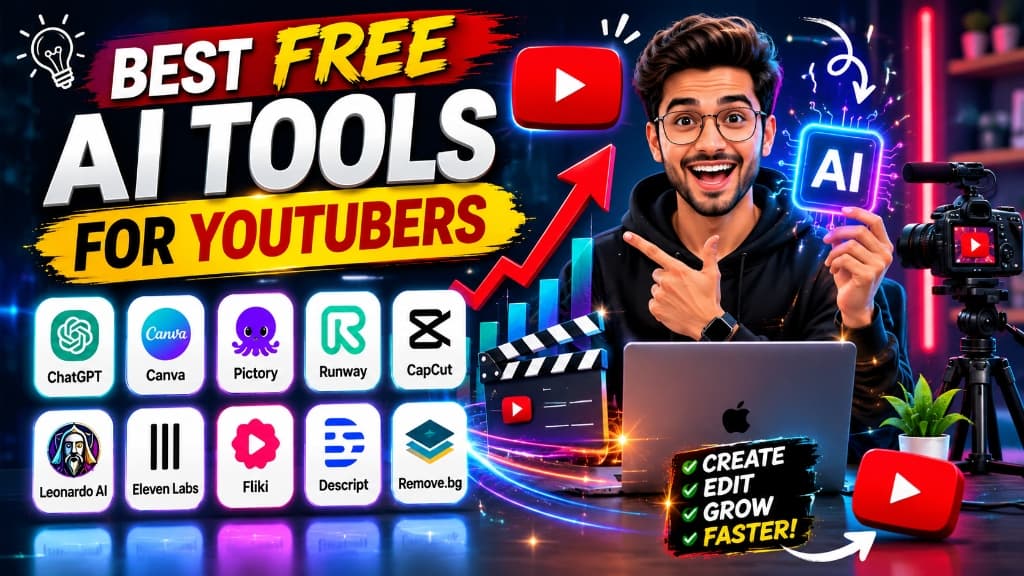
In 2026, the YouTube landscape has reached an unprecedented level of competition. Millions of hours of video are uploaded daily, and standing out is no longer just about buying expensive cameras or spending weeks editing a single video. The modern YouTube game is about efficiency, consistency, and scale. Creators who fail to adapt are spending countless hours on manual tasks that can now be completed in seconds. Conversely, smart creators are leveraging artificial intelligence to build high-converting, premium-quality channels at zero software cost.
Whether you are running an educational channel, a tech review platform, a gaming vlog, or building a highly profitable faceless YouTube automation empire, free AI tools have democratized production. You don’t need a production team or a massive budget anymore. Everything from brainstorming viral video ideas and writing highly retention-optimized scripts to designing eye-catching thumbnails and editing high-fidelity audio can be done using free, state-of-the-art AI systems.
BLUF (Bottom Line Up Front): To succeed on YouTube in 2026, you must establish an optimized, zero-cost AI workflow. By combining ChatGPT/Gemini for scriptwriting, Canva AI for thumbnail generation, CapCut AI for video editing, Perplexity AI for real-time trend verification, and ElevenLabs/Descript for studio-quality audio, you can automate up to 80% of your production time. This guide breaks down the top 25 free AI tools, shows you the exact workflows to implement, and provides copy-ready prompts to launch your growth immediately.
Before diving into the list, you may also want to explore our guides on ChatGPT Daily Productivity Workflows and Best Free Claude & GPT-4o Alternatives to further supercharge your digital creation toolkit.
Featured Snippet Answers: Quick AI Guides for YouTubers
To help you find immediate answers to the most common queries, here is a quick-fire breakdown of the best AI tools based on specific creator needs. You can bookmark this page for fast reference during your production pipeline.
What is the best AI tool for YouTubers?
There is no single best tool, but rather an ecosystem. For scripting, Claude 3.5 Sonnet is unmatched. For thumbnails, a combination of Leonardo AI (image generation) and Canva AI (design layout) is ideal. For editing, CapCut AI is the overall best free option, while ElevenLabs remains the gold standard for high-fidelity voice synthesis.
There is no single best tool, but rather an ecosystem. For scripting, Claude 3.5 Sonnet is unmatched. For thumbnails, a combination of Leonardo AI (image generation) and Canva AI (design layout) is ideal. For editing, CapCut AI is the overall best free option, while ElevenLabs remains the gold standard for high-fidelity voice synthesis.
What is the best free AI tool for video editing?
CapCut AI is the top choice. It offers an advanced free desktop editor with professional multi-track timelines, highly accurate automatic subtitle generators, AI-powered vocal isolation, and dynamic transition effects without watermarks in 1080p.
CapCut AI is the top choice. It offers an advanced free desktop editor with professional multi-track timelines, highly accurate automatic subtitle generators, AI-powered vocal isolation, and dynamic transition effects without watermarks in 1080p.
What is the best AI thumbnail generator?
Leonardo AI is the best for generating high-quality visual subjects and background assets on its free tier (150 daily credits). You can then import these assets into Canva AI to run background removal (Magic Grab), adjust contrast, and overlay high-CTR bold typography.
Leonardo AI is the best for generating high-quality visual subjects and background assets on its free tier (150 daily credits). You can then import these assets into Canva AI to run background removal (Magic Grab), adjust contrast, and overlay high-CTR bold typography.
What is the best AI voiceover tool?
ElevenLabs. It provides the most realistic, human-like voice synthesis available. The free tier gives you 10,000 characters per month with access to standard pre-made voices that capture natural breaths, pauses, and speech inflections.
ElevenLabs. It provides the most realistic, human-like voice synthesis available. The free tier gives you 10,000 characters per month with access to standard pre-made voices that capture natural breaths, pauses, and speech inflections.
What is the best AI tool for YouTube automation?
A combination of Claude (for scripts), ElevenLabs (for voiceovers), and Pictory or InVideo AI (for auto-matching B-roll and generating video frames). CapCut is then used to combine these elements into a polished final video.
A combination of Claude (for scripts), ElevenLabs (for voiceovers), and Pictory or InVideo AI (for auto-matching B-roll and generating video frames). CapCut is then used to combine these elements into a polished final video.
What is the best AI tool for script writing?
Claude 3.5 Sonnet. It outperforms other LLMs by writing conversational, engaging narrative prose that sounds natural when read aloud, avoiding typical robotic 'AI jargon' like 'in conclusion' or 'delve deep'.
Claude 3.5 Sonnet. It outperforms other LLMs by writing conversational, engaging narrative prose that sounds natural when read aloud, avoiding typical robotic 'AI jargon' like 'in conclusion' or 'delve deep'.
What is the best AI tool for Shorts creation?
Opus Clip is the best for clipping long-form videos (like podcasts or interviews) into viral, captioned vertical shorts. For manual creation from scratch, CapCut AI offers the best vertical timeline editing suite.
Opus Clip is the best for clipping long-form videos (like podcasts or interviews) into viral, captioned vertical shorts. For manual creation from scratch, CapCut AI offers the best vertical timeline editing suite.
Can AI grow a YouTube channel?
Yes. While AI cannot replace your unique personality, it acts as an accelerator. It automates keyword research (Perplexity), speeds up production by 5x, and optimizes title CTR (ChatGPT), allowing you to publish higher-quality, search-friendly videos at a much faster rate.
Yes. While AI cannot replace your unique personality, it acts as an accelerator. It automates keyword research (Perplexity), speeds up production by 5x, and optimizes title CTR (ChatGPT), allowing you to publish higher-quality, search-friendly videos at a much faster rate.
Why YouTubers Need AI in 2026: The Shift in Content Creation
In 2026, YouTube's algorithm has evolved to prioritize deep user satisfaction and viewer retention over simple click-through rates. This means your content must be exceptionally polished from the very first second. The traditional bottleneck of content creation—spending 20 hours editing a 10-minute video or staring at a blank document for days trying to write a script—is no longer viable. Creators who rely entirely on manual processes are falling behind those who use AI as their production assistant.
Leveraging AI is not about creating 'lazy' or low-effort content. Google's Helpful Content Update (HCU) explicitly penalizes generic, automated spam. The real power of AI lies in human-in-the-loop collaboration: using AI to handle research, editing, and thumbnail asset drafting, which saves you up to 80% of your time. This saved time can then be spent on creative strategy, on-camera delivery, and audience community engagement. By automating the mechanical tasks, you can increase your output from one video a week to three, or launch secondary channels focused on short-form content.
Comparison Table: The YouTuber's AI Tool Matrix
To help you choose the right tool for your specific creation needs, here is a detailed matrix of the 25 best AI tools in 2026, showcasing their primary use case, free plan availability, difficulty level, and recommended alternative:
| Tool Name | Best Use Case | Free Tier Limits | Difficulty | Best Alternative |
|---|---|---|---|---|
| ChatGPT | Idea generation, metadata & outlines | Unlimited (GPT-4o mini) | Easy | Claude / Gemini |
| Gemini | PDF research & transcribing video source material | Free credits (1.5 Flash) | Easy | Perplexity AI |
| Claude | Natural narrative scripts & storytelling | Daily message limits (3.5 Sonnet) | Easy | ChatGPT |
| Canva AI | Thumbnail design, logos & templates | Free basic tier + limited magic edits | Easy | Adobe Express |
| Midjourney | Ultra-realistic, cinematic thumbnail art | Paid plans only ($10/mo) | Medium | Leonardo AI |
| Leonardo AI | High-quality cartoon, 3D, or realistic assets | 150 daily free credits | Medium | Midjourney |
| DALL-E | Quick background generation (via Bing) | 15 boosts daily (Microsoft Designer) | Easy | Leonardo AI |
| Runway | Cinematic text-to-video B-roll clips | Free credits (non-renewing) | Medium | Luma Dream Machine |
| Pictory | Text-to-video slides, summaries | Free trial (3 video projects) | Easy | InVideo AI |
| Descript | Text-based audio editing, studio sound cleanup | 1 hour transcription monthly | Medium | Audacity |
| ElevenLabs | Ultra-realistic AI voiceover generation | 10,000 characters free monthly | Easy | Lovo.ai |
| Synthesia | Professional AI talking-head videos | Limited free trial | Medium | HeyGen |
| TubeBuddy | YouTube tag SEO, keyword metrics | Free basic extension limits | Easy | VidIQ |
| VidIQ | Daily ideas, search volume trends | Free basic version limits | Easy | TubeBuddy |
| Opus Clip | Convert long videos into captioned Shorts | Free trial with monthly credits | Easy | Munch |
| CapCut AI | Video editing, auto captions, transitions | Free desktop/mobile version | Medium | DaVinci Resolve |
| Notion AI | Pipeline management & script editing | Limited free AI queries | Easy | ChatGPT |
| Perplexity | Trend research, fact-checking with cited links | Unlimited basic searches | Easy | Gemini |
| Grammarly | Proofreading & tone checking | Free basic grammar check | Easy | Hemingway |
| Copy.ai | Generating hooks, titles, social posts | Free basic limits (2000 words/mo) | Easy | ChatGPT |
| Jasper | Long-form campaign content & copywriting | 7-day free trial only | Medium | Claude |
| Fireflies AI | Meeting transcription & video call notes | Free basic tier limits | Easy | Otter AI |
| Otter AI | Transcribing guest interviews & chats | 300 minutes free monthly | Easy | Fireflies AI |
| InVideo AI | Prompt-to-video generation (faceless channels) | Free plan with watermarks | Easy | Pictory |
| VEED AI | Web-based editing & automated captions | Free plan with watermarks | Easy | CapCut AI |
Free vs Paid AI Tools: How to Choose Your Creation Suite
When starting your YouTube channel, your software budget should ideally be zero. Almost every primary workflow task can be accomplished using the free tiers of the tools mentioned above. For example, you can write scripts using ChatGPT, research keywords with Perplexity, design thumbnails using Canva, and edit vlogs using CapCut—all without spending a single dollar.
However, as your channel begins to grow, get monetized, and generate revenue, upgrading to paid plans makes commercial sense. Paid plans unlock essential features that save hours of production time: high-definition exports without watermarks, unlimited characters on ElevenLabs, custom voice clones to automate speaking tasks, bulk translation of video voice tracks into other languages, and A/B thumbnail testing tools. To guide your decision, here is a quick roadmap of when to pay and when to stay free:
| Workflow Area | Free Tier (Best for Beginners) | Paid Tier (Best for Monetized Channels) | Trigger to Upgrade |
|---|---|---|---|
| Voiceovers | ElevenLabs (10k characters/mo) - standard pre-made voices | ElevenLabs Creator ($22/mo) - custom voice cloning & 100k chars | When launching multiple faceless videos a week requiring long scripts |
| Graphic Assets | Leonardo AI (150 daily credits) & Canva Free | Midjourney ($10/mo) or Canva Pro ($13/mo) | When you need hyper-specific consistent characters or premium template fonts |
| Video Editing | CapCut AI Desktop (Free watermark-free 1080p exports) | DaVinci Resolve Studio ($295 one-time) or CapCut Pro | When you require complex 4D tracking, high-end noise reduction, or 4K exporting |
| SEO & Analytics | VidIQ Free & YouTube Studio Analytics | VidIQ Boost / TubeBuddy Legend ($20-$40/mo) | When you want to run automated A/B tests on your thumbnail variations to increase CTR |
Top 25 Best Free AI Tools for YouTubers in 2026
Here is the detailed, tool-by-tool analysis of the 25 best AI tools for YouTube creators. We explore their core features, pricing tiers, pros, cons, and alternatives, along with real-world creator use cases.
1. ChatGPT: The Outlining and Metadata Engine
Overview: OpenAI's ChatGPT remains the backbone of script outlining and video metadata optimization in 2026. Acting as a virtual creative director, it turns rough concepts into structured, high-retention video layouts.
Key Features: Custom instruction profiles, canvas interface for side-by-side rewriting, multi-turn brainstorming, and instant script translation.
Pricing: Free tier includes unlimited access to the highly capable GPT-4o mini engine. GPT-4o access is capped on a dynamic hourly limit.
Best Use Case: Brainstorming viral title ideas, creating multi-chapter script outlines, and writing SEO-friendly video description blocks.
Pros: Zero cost for standard tasks, lightning-fast response times, and exceptional layout structuring.
Cons: Tends to write with predictable AI idioms (e.g., 'delve', 'testament', 'furthermore') if not instructed to use a casual spoken tone.
Alternatives: Claude, Google Gemini.
Creator Use Case: An educational creator feeds a raw transcript of a scientific report into ChatGPT and asks: 'Structure this into a 5-minute video outline with a high-curiosity hook, 3 learning sections, and a natural transition between each.'
For ready-to-copy ideation, script, title, thumbnail, Shorts, and SEO templates, use our ChatGPT prompts for YouTube creators guide alongside these free YouTube AI tools.
2. Google Gemini: The Long-Document Research Assistant
Overview: Google Gemini excels at parsing massive amounts of research material. Its deep integration with the Google Workspace and search index makes it the perfect tool for research-heavy and commentary channels.
Key Features: Industry-leading context window, direct YouTube link transcription parsing, PDF and document uploading, and direct export to Google Docs.
Pricing: Free access to Gemini 1.5 Flash with generous daily usage credits.
Best Use Case: Extracting key themes from 100-page research reports, transcribing long reference videos, and checking real-time Google search data.
Pros: Handles massive documents without losing context, pulls real-time information from Google Search, and offers clean exports.
Cons: Narrative prose writing can feel slightly sterile and dry compared to Claude's creative writing style.
Alternatives: Perplexity AI, ChatGPT.
Creator Use Case: A history channel creator uploads a 200-page public PDF chronicle and asks Gemini: 'Find the 5 most shocking historical anecdotes about the Roman empire listed in this file and summarize them for a video script.'
3. Claude: The Narrative Scriptwriter
Overview: Anthropic's Claude is widely considered the best writing assistant by professional creators. It specializes in crafting emotionally resonant narratives that mimic the speech patterns of professional speakers.
Key Features: 'Artifacts' coding/editing window, advanced logical tone control, and deep reading comprehension.
Pricing: Free access to Claude 3.5 Sonnet with daily message limits that adjust based on server load.
Best Use Case: Writing final video scripts, building documentary narratives, and polishing awkward draft scripts.
Pros: Writes the most natural, human-like dialogue of any LLM, avoids common AI jargon, and understands storytelling hooks.
Cons: Free tier limits can be highly restrictive, especially during peak working hours; no web browsing on the free tier.
Alternatives: ChatGPT, Jasper.
Creator Use Case: A documentary storyteller inputs a bullet-point outline of an event and asks Claude: 'Write a script intro that sounds like a seasoned investigator telling a mystery story. Keep sentences short and vocabulary simple.'
4. Canva AI: The Thumbnail and Asset Hub
Overview: Canva has integrated powerful AI graphic engines directly into its drag-and-drop graphic designer, allowing creators with zero design experience to build professional visual layouts.
Key Features: 'Magic Grab' (separating subjects from backgrounds in one click), Magic Eraser, text-to-image generator, and pre-formatted YouTube thumbnail templates.
Pricing: Free basic account includes standard template editing and limited AI design credits. Canva Pro costs $12.99/month.
Best Use Case: Designing high-CTR thumbnails, creating channel banners, and formatting social media graphics.
Pros: Extremely user-friendly interface, massive font library, and reliable background editing tools.
Cons: Advanced AI graphics and certain premium templates are locked behind the Pro subscription.
Alternatives: Adobe Express, Photopea.
Creator Use Case: A tech reviewer uploads a selfie, uses Magic Grab to cut out the background, applies a cyan neon outline, and layers bold text to create an eye-catching thumbnail in under 5 minutes.
5. Midjourney: The Visual Masterpiece Generator
Overview: Midjourney is the industry benchmark for text-to-image quality. It is widely used by high-end creators to generate hyper-realistic portraits, futuristic scenery, and cinematic assets for backgrounds.
Key Features: Consistent character parameters (`--cref`), high-definition rendering engines, pan/zoom options, and aspect ratio controls.
Pricing: No free tier. Plans start at $10/month for basic GPU time.
Best Use Case: Generating high-impact graphic backgrounds and cinematic characters for thumbnails.
Pros: Unrivaled artistic image quality, highly customizable parameters, and excellent styling controls.
Cons: Lacks a permanent free tier, requires a Discord account or web portal, and has a steep learning curve for prompt flags.
Alternatives: Leonardo AI, Bing Image Creator.
Creator Use Case: A cyberpunk story channel generates a series of consistent characters wearing neon gear in a dark rainy city to use as video visuals and thumbnails.
6. Leonardo AI: The Customizable Graphic Assistant
Overview: Leonardo AI is a major competitor to Midjourney, offering a highly functional web-based canvas, custom model training, and a generous daily free credit pool.
Key Features: Realtime Gen (drawing drafts that update in real-time), Prompt Guidance, character consistency tools, and custom model selection.
Pricing: Free tier provides 150 tokens every 24 hours. Paid plans start at $12/month.
Best Use Case: Generating custom graphic assets, cartoon graphics, and 3D scenes for thumbnails.
Pros: Generous free daily credits, excellent web dashboard, and high control over style models.
Cons: High-resolution renders can consume multiple free tokens, reducing your daily image limit.
Alternatives: Midjourney, Bing Image Creator.
Creator Use Case: A gaming channel creator uses Leonardo's 3D render model to generate an image of a futuristic game controller glowing with purple fire for a thumbnail background.
7. DALL-E (Bing Image Creator): The Instant Graphic Generator
Overview: Powered by OpenAI's DALL-E 3, Bing Image Creator (Microsoft Designer) is the easiest way to generate images with correct text spelling directly inside the graphic.
Key Features: High prompt comprehension, text spelling capability, and direct integration with Microsoft's design suite.
Pricing: Completely free to use via Microsoft Copilot/Designer, offering 15 daily speed boosts.
Best Use Case: Fast background generation and simple concept illustration.
Pros: Unmatched understanding of natural language prompts, spelling accuracy, and free access.
Cons: Lacks advanced aspect ratio parameters or modular slider controls for stylization.
Alternatives: Leonardo AI, Midjourney.
Creator Use Case: An office productivity channel generates a clean, bright, minimalist office desk background containing a notebook that has 'DO IT TODAY' spelled clearly on the page.
8. Runway: The Cinematic Video Clip Generator
Overview: Runway (featuring Gen-2 and Gen-3 Alpha) is the leading tool for generating short, cinematic B-roll scenes from text descriptions, solving the problem of stock footage scarcity.
Key Features: Text-to-video, image-to-video motion control, brush-guided motion paths, and advanced background keying.
Pricing: Free basic account offers a one-time pool of non-renewing credits. Paid plans start at $12/month.
Best Use Case: Generating high-fidelity B-roll clips for abstract narration and atmospheric intros.
Pros: Highly realistic camera movements, stunning lighting simulation, and advanced control tools.
Cons: Free credits do not renew automatically; video render times can be slow on standard tiers.
Alternatives: Luma Dream Machine, Sora (when accessible).
Creator Use Case: A faceless space documentary channel generates a 4-second cinematic clip of a rocket booster igniting in close-up against a deep space backdrop to cover a script transition.
9. Pictory: The Automatic Text-to-Video Compiler
Overview: Pictory is designed for creators who want to convert written articles or script files into video layouts quickly. It automatically scans the text, matches key concepts with relevant stock video clips, and lays down subtitles.
Key Features: Script-to-video compiler, blog post video creation, automatic video transcription, and smart video summarization.
Pricing: Free trial allows you to create 3 video projects (up to 10 minutes each). Standard plans start at $19/month.
Best Use Case: Fast script summaries, listicle videos, and converting blog posts into slideshow layouts.
Pros: Incredible speed, auto-synchronized subtitle overlays, and huge built-in stock library.
Cons: Selected stock videos can occasionally feel generic; free trial is highly restricted.
Alternatives: InVideo AI, VEED AI.
Creator Use Case: A finance channel creator copies a 1000-word script about 'saving money' into Pictory, which automatically compiles a draft video with stock cash clips, icons, and captions.
10. Descript: The Waveform Text Editor
Overview: Descript changes the paradigm of video and audio editing. Instead of dragging waves on a timeline, Descript transcribes your audio and allows you to edit the media by editing the text script.
Key Features: Text-based video editing, 'Studio Sound' audio clean-up, automated filler-word removal, and screen recording.
Pricing: Free tier includes 1 hour of transcription per month. Paid Creator plans start at $12/month.
Best Use Case: Editing interview transcripts, podcasts, and removing filler words ('ums' and 'uhs') automatically.
Pros: Cuts editing time by 70%, Studio Sound fixes cheap microphone audio, and is highly intuitive.
Cons: Output video export resolution is capped on the free tier; slight processing delay during file ingestion.
Alternatives: Audacity, DaVinci Resolve.
Creator Use Case: A podcast host imports a raw, echoed audio file, uses 'Remove Filler Words' to cut 50 'ums' in one click, and applies 'Studio Sound' to make the audio sound studio-recorded.
11. ElevenLabs: The Real Voice Synthesizer
Overview: ElevenLabs is the undisputed leader in AI voice synthesis. It produces voices that include natural breathing sounds, realistic pauses, and emotional context, making it ideal for narration.
Key Features: Custom voice design, multilingual synthesis (29+ languages), voice cloning, and audio dubbing.
Pricing: Free tier includes 10,000 characters per month. Paid Starter plan starts at $5/month.
Best Use Case: Professional voice narration for faceless channels, tutorial audio, and multi-language translation.
Pros: Voices sound completely natural, high language variety, and an easy slider interface.
Cons: The free 10,000 character limit is easily consumed by a single 8-minute video; custom voice cloning is paid.
Alternatives: WellSaid Labs, Play.ht.
Creator Use Case: A history channel creator writes a script in Claude, pastes the 800-word text into ElevenLabs, selects a deep documentary voice like 'Adam', and downloads a professional MP3 track.
12. Synthesia: The Speaking Avatar Studio
Overview: Synthesia is a professional AI video platform that generates lifelike human avatars speaking a script, eliminating the need for cameras, actors, or studio setups.
Key Features: 140+ AI avatars, 120+ languages, automated screen recording integration, and custom avatar creation.
Pricing: Paid plans start at $22/month. Offers a limited free trial dashboard.
Best Use Case: Corporate videos, step-by-step tutorials, and educational guides.
Pros: Eliminates the need to appear on camera, supports massive scale across languages, and features a clean UI.
Cons: Avatars can look slightly robotic if gestures are not manually adjusted; paid plans are expensive.
Alternatives: HeyGen, D-ID.
Creator Use Case: An online software training channel uses Synthesia to generate a series of tutorials in both English and Spanish by typing software manuals into the script box.
13. TubeBuddy: The Extension for YouTube SEO
Overview: TubeBuddy is a browser extension that overlays keyword metrics, tag analytics, and channel management tools directly onto the YouTube dashboard.
Key Features: Search Explorer, SEO Studio (optimizing titles/descriptions), tag suggestion box, and thumbnail A/B testing.
Pricing: Free basic plan with search limits. Pro plan starts at $4.50/month, Legend plan at $24.49/month.
Best Use Case: Finding high-traffic tags, analyzing competitor video meta, and optimizing search terms.
Pros: Integrates natively into YouTube Studio, provides clear color-coded keyword difficulty scores.
Cons: Free tier limits search results and suggestions to the top 3 items, requiring upgrades for detailed audits.
Alternatives: VidIQ.
Creator Use Case: A cooking channel creator inputs 'how to bake cake' into TubeBuddy's explorer to locate a related long-tail keyword with high search volume and low competition.
14. VidIQ: The Daily Idea Generator
Overview: VidIQ is a YouTube optimization tool that specializes in brainstorming viral trends, competitor research, and providing daily video ideas based on real-time niche metrics.
Key Features: AI Daily Ideas, Trend Alerts, Competitor tracking matrices, and target search volume indicators.
Pricing: Free basic plan with limited daily suggestions. Pro plans start at $10/month.
Best Use Case: Brainstorming click-worthy topics, checking competitor trends, and auditing channel performance metrics.
Pros: Daily idea recommendations are highly relevant, clean extension dashboard, and great tag analyzer.
Cons: Access to competitor lists and full trending dashboards is locked behind paid plans.
Alternatives: TubeBuddy.
Creator Use Case: A tech creator checks VidIQ's Daily Ideas dashboard to find three trending video topics in the AI space that are gaining search momentum today.
15. Opus Clip: The Short-Form Video Splitter
Overview: Opus Clip uses AI to scan long-form videos (like podcasts, interviews, or reviews), identify the most engaging highlights, reframe them to vertical size, and overlay animated captions.
Key Features: AI Virality Score, auto-reframe, kinetic subtitle templates, auto-emoji overlay, and filler word cuts.
Pricing: Free trial with monthly rendering allocations. Starter plan costs $15/month.
Best Use Case: Converting long podcast episodes into multiple viral YouTube Shorts, Reels, and TikToks.
Pros: Saves hours of manual cropping and captioning, reframes subjects accurately, and scores virality.
Cons: Output includes watermarks on the free tier; subtitle templates can sometimes cover face graphics.
Alternatives: Munch, Klap, Dumme.
Creator Use Case: A finance podcaster uploads a 1-hour interview, and Opus Clip generates 8 vertical shorts, complete with captions and virality scores, ready to publish.
16. CapCut AI: The All-in-One Video Editor
Overview: CapCut (by ByteDance) is the most popular video editor for short-form creators. Its desktop version features professional timelines, multi-track editing, and powerful built-in AI tools.
Key Features: Auto caption generator, voice isolation, smart background keying, video style transitions, and audio sync.
Pricing: Free desktop and mobile apps. Pro tier includes premium assets for $7.99/month.
Best Use Case: Editing vertical Shorts, standard vlogs, and overlaying animated subtitles.
Pros: Best caption generator in the industry, watermark-free exports at 1080p, and a massive sound effects library.
Cons: Desktop software is resource-intensive and requires a good graphics card; some effects are locked behind Pro.
Alternatives: DaVinci Resolve, Premiere Pro.
Creator Use Case: A travel vlogger imports raw mobile clips, runs 'Auto Captions' to generate captions, adds quick sound overlays, and exports a finished vlog to YouTube.
17. Notion AI: The Workspace Outline Editor
Overview: Notion AI embeds powerful writing assistance directly into the Notion document database, making it ideal for creators who manage their video pipeline in databases.
Key Features: Text expander, bullet summary generator, tone adjuster, and custom AI templates for scripting.
Pricing: Notion is free to use; Notion AI is a paid add-on ($10/month) with a limited free trial of 20 queries.
Best Use Case: Polishing script drafts, generating video summaries, and brainstorming video calendars.
Pros: Fully integrated into your note-taking tool, clean document formatting, and excellent database structures.
Cons: Very short free trial period before requiring a premium upgrade.
Alternatives: Obsidian, Google Docs.
Creator Use Case: A creator outlines a review in Notion, highlights the text, and uses Notion AI to expand it into a fully scripted paragraph with clear transitions.
18. Perplexity AI: The Search and Fact-Checking Engine
Overview: Perplexity is a conversational search engine that indexes the web in real-time, returning answers complete with source links and citations to avoid misinformation.
Key Features: Real-time search, source indexing citations, and Search Focus filters (Academic documents, YouTube, or Reddit).
Pricing: Free basic plan with unlimited searches. Perplexity Pro starts at $20/month.
Best Use Case: Fact-checking statistics, researching current events, and discovering video sources.
Pros: Lists verified clickable source links, avoids hallucinations, and suggests follow-up queries.
Cons: Not optimized for creative narration writing or script styling.
Alternatives: Google Search, Gemini.
Creator Use Case: A science channel creator queries 'Latest updates on the Mars Rover in 2026' and receives a summarized timeline with links to NASA press releases.
19. Grammarly: The Script Proofreader
Overview: Grammarly is an AI writing assistant that checks script drafts for spelling, basic grammar, and readability.
Key Features: Spellcheck, tone analyzer, clarity checker, and paragraph rewriting suggestions.
Pricing: Free basic plan. Premium editing plan costs $12/month.
Best Use Case: Proofreading scripts before narration and clean-up of video descriptions.
Pros: Works across all browser editors, catches simple syntax mistakes, and ensures clear wording.
Cons: Advanced style tips and vocabulary changes require a paid account.
Alternatives: Hemingway Editor, ProWritingAid.
Creator Use Case: A creator pastes their script draft into Grammarly to check for spelling mistakes and ensure the tone is friendly and easy to understand.
20. Copy.ai: The Hook and Copywriting Specialist
Overview: Copy.ai is built for marketers and copywriters, providing structured templates to generate attention-grabbing hooks, video titles, and social media promotions.
Key Features: Structured templates (AIDA, PAS), brand voice profiles, bulk title generator, and social media copy templates.
Pricing: Free plan allows up to 2,000 words per month. Pro plan starts at $36/month.
Best Use Case: Generating high-CTR video hooks, video description outlines, and promotional social updates.
Pros: Templates are optimized for marketing conversion, clean interface, and good tone selection.
Cons: Free word limit is low for creators who publish daily videos.
Alternatives: Jasper, ChatGPT.
Creator Use Case: A marketing creator uses Copy.ai's title template to generate 10 variations of a title for a video about 'SEO tips' utilizing the curiosity hook.
21. Jasper: The Collaborative Campaign Creator
Overview: Jasper is a professional AI writing platform designed for content marketing campaigns, offering highly detailed template workflows for creators.
Key Features: Detailed content templates, SEO integration (with Surfer SEO), custom brand voice, and a document editor.
Pricing: No permanent free tier; offers a 7-day free trial. Creator plans start at $39/month.
Best Use Case: Writing comprehensive marketing articles, social campaigns, and scripts.
Pros: Robust template collection, excellent team collab dashboard, and high voice tone customization.
Cons: No free plan, paid subscriptions are expensive for solo creators.
Alternatives: Copy.ai, Claude.
Creator Use Case: A team-based gaming channel uses Jasper's blog template to write a corresponding guide for their video and synchronize it with their script.
22. Fireflies AI: The Interview Recorder
Overview: Fireflies is an AI meeting recorder that joins video calls, transcribes the conversation, and provides structured bullet summaries.
Key Features: Video call recording, search filters, automated bullet summaries, and speaker timestamps.
Pricing: Free basic plan with limited transcription credits. Paid plans start at $10/month.
Best Use Case: Transcribing guest interviews, brainstorming meetings, and recording voice notes.
Pros: Automatically integrates with Zoom/Google Meet, allows easy text search within long transcriptions.
Cons: Free tier limits the search filters and transcript export formats.
Alternatives: Otter AI.
Creator Use Case: A commentary channel records a Zoom interview with a guest, and Fireflies automatically emails a full transcript, saving hours of manual note-taking.
23. Otter AI: The Live Transcription Studio
Overview: Otter AI provides real-time voice transcription, allowing creators to speak their ideas and instantly get them in written form.
Key Features: Live transcription window, automated slide capture, speaker ID, and keyword tagging.
Pricing: Free plan includes 300 monthly minutes (maximum 30 minutes per conversation). Pro plan costs $10/month.
Best Use Case: Live-transcribing podcasts, panel discussions, and personal brainstorming dictations.
Pros: Exceptional real-time speech recognition accuracy, clean desktop layout.
Cons: Free tier monthly minutes can run out fast if transcribing long video podcast files.
Alternatives: Fireflies AI.
Creator Use Case: An editor imports a 20-minute audio track of a creator speaking free-form and downloads a transcribed text outline to use as a script skeleton.
24. InVideo AI: The Full Prompt-to-Video Engine
Overview: InVideo AI is a highly specialized generator that creates a complete video—including script, voiceover, stock B-roll, and caption tracks—from a single text prompt.
Key Features: Prompt-to-video generator, visual script editor, custom voice narrator, and automated B-roll matching.
Pricing: Free plan includes 10 minutes of video generation per week (with watermarks). Paid plans start at $20/month.
Best Use Case: Creating fast faceless channels, explainer clips, and educational slideshow summaries.
Pros: Generates a complete draft video in one step, allowing you to edit the script to change the visual scenes.
Cons: Export contains watermarks on the free plan, and stock footage can occasionally look generic.
Alternatives: Pictory, Synthesia.
Creator Use Case: An automation creator enters a prompt: 'Create a 1-minute video about the top 3 healthy foods for breakfast' and receives a completed short video with stock clips, a voice track, and captions.
25. VEED AI: The Web Video Studio
Overview: VEED is an online video editor that integrates essential AI tools like auto subtitling, voice clean-up, and avatar generation directly into the browser.
Key Features: Automated subtitle generation, audio clean-up, AI video avatars, and screen recording overlays.
Pricing: Free basic plan includes watermark-restricted exports (under 10 minutes). Paid plans start at $18/month.
Best Use Case: Web-based video editing, adding animated captions to shorts, and screen-record tutorials.
Pros: Completely web-based with no software install, excellent subtitle style catalog.
Cons: Free version is limited by watermarks and export resolutions (capped at 720p).
Alternatives: CapCut AI, Premiere Pro.
Creator Use Case: A cooking channel creator uploads a 2-minute recipe clip to VEED, uses the auto subtitle generator to apply dynamic text, and shares the video to YouTube.
Best AI Tools by Category & Creator Workflows
To help you design the most efficient production assembly line, we have grouped the best AI tools into six core functional categories. This allows you to select the right tool for each step of your video creation pipeline.
Best AI Tools for YouTube Scripts
Writing a compelling script is the foundation of high audience retention. For this phase, Claude 3.5 Sonnet is the overall leader due to its natural, human-like dialogue pacing and avoidance of robotic clichés. For structuring research or organizing complex timelines, ChatGPT and Google Gemini are ideal for generating outlines, chapters, and metadata.
Best AI Tools for Thumbnails
A video cannot get views without a high-CTR thumbnail. To generate high-impact graphic assets, Leonardo AI offers outstanding control on its free tier, while Midjourney remains the premium standard for photorealism. Canva AI is the best editor for compiling these assets, allowing you to remove backgrounds, adjust lighting, and overlay high-contrast text.
Best AI Tools for Video Editing
Video editing is the most time-consuming task for creators. CapCut AI is the overall best free video editor for both desktop and mobile, offering watermark-free exports, auto-captions, and voice clean-up. For text-based audio and video editing, Descript is an invaluable tool for podcasters and commentary creators.
Best AI Tools for Shorts Creation
Short-form vertical video (Shorts, Reels, TikTok) is crucial for rapid channel growth. Opus Clip is the best AI tool to instantly clip long-form podcasts or reviews into captioned vertical clips. For manual editing from scratch, CapCut AI provides the best mobile/desktop vertical editor.
Best AI Tools for Voiceovers
For faceless channels or audio translation, realistic voices are essential. ElevenLabs is the undisputed gold standard, generating synthetic speech with natural breaths, pauses, and accents. Synthesia and HeyGen are the top choices for generating matching speaking avatars.
Best AI Tools for Channel Growth
To rank on search results and track trends, SEO optimization is a must. VidIQ and TubeBuddy provide browser extensions that integrate search volume metrics, competitor tracking, and tag suggestions directly into YouTube Studio. Perplexity AI is the best conversational search tool for real-time fact-checking.
AI Tool Stacks by Creator Channel Type
Different channels require different tool combinations. Standardizing your stack based on your specific format prevents resource waste. Here are the recommended free stacks for 2026:
1. Beginner YouTuber Stack
Stack: ChatGPT + Canva AI + CapCut AI
Workflow: Brainstorm video ideas and outline chapters using ChatGPT. Upload your photo to Canva AI, apply Magic Grab to isolate yourself, and overlay high-contrast title text. Edit the vlog using CapCut AI's free desktop version, applying auto captions and basic transitions.
Workflow: Brainstorm video ideas and outline chapters using ChatGPT. Upload your photo to Canva AI, apply Magic Grab to isolate yourself, and overlay high-contrast title text. Edit the vlog using CapCut AI's free desktop version, applying auto captions and basic transitions.
2. Faceless Channel Stack
Stack: Claude + ElevenLabs + Runway + CapCut AI
Workflow: Write a deep narrative script using Claude. Generate the narration track in ElevenLabs using a premium voice like 'Adam'. Create matching cinematic B-roll scenes in Runway from your script prompts. Compile the audio and visuals in CapCut AI.
Workflow: Write a deep narrative script using Claude. Generate the narration track in ElevenLabs using a premium voice like 'Adam'. Create matching cinematic B-roll scenes in Runway from your script prompts. Compile the audio and visuals in CapCut AI.
3. Shorts Creator Stack
Stack: Opus Clip + CapCut AI + Canva AI
Workflow: Upload your long-form videos to Opus Clip to cut them into 5 captioned, reframed vertical shorts. Import the generated clips into CapCut AI to add sound effects, emojis, and trim clips. Create high-CTR vertical frame covers in Canva.
Workflow: Upload your long-form videos to Opus Clip to cut them into 5 captioned, reframed vertical shorts. Import the generated clips into CapCut AI to add sound effects, emojis, and trim clips. Create high-CTR vertical frame covers in Canva.
4. Gaming Channel Stack
Stack: Leonardo AI + CapCut AI + ChatGPT
Workflow: Brainstorm click-worthy gaming topics and title setups in ChatGPT. Generate gaming-style assets or fantasy avatars in Leonardo AI to layer in thumbnails. Edit your gameplay commentary, crop webcam frames, and add sound effects in CapCut.
Workflow: Brainstorm click-worthy gaming topics and title setups in ChatGPT. Generate gaming-style assets or fantasy avatars in Leonardo AI to layer in thumbnails. Edit your gameplay commentary, crop webcam frames, and add sound effects in CapCut.
5. Educational Channel Stack
Stack: Perplexity AI + Gemini + Descript + CapCut AI
Workflow: Research facts and statistics using Perplexity AI. Upload textbooks or source PDFs to Google Gemini to extract key bullet points. Edit the voice track in Descript to remove filler words and apply Studio Sound. Finish the video layout in CapCut.
Workflow: Research facts and statistics using Perplexity AI. Upload textbooks or source PDFs to Google Gemini to extract key bullet points. Edit the voice track in Descript to remove filler words and apply Studio Sound. Finish the video layout in CapCut.
6. Tech Channel Stack
Stack: Perplexity AI + Claude + Canva AI + CapCut AI
Workflow: Pull hardware specifications and verified benchmark links using Perplexity AI. Write a conversational script outline in Claude. Design tech-style graphics and thumbnails in Canva. Edit high-definition b-roll overlays and transitions in CapCut.
Workflow: Pull hardware specifications and verified benchmark links using Perplexity AI. Write a conversational script outline in Claude. Design tech-style graphics and thumbnails in Canva. Edit high-definition b-roll overlays and transitions in CapCut.
Frequently Asked Questions (FAQs)
Here are the answers to the top 20 questions creators ask about using artificial intelligence for YouTube growth, video editing, thumbnail design, and channel monetization.
Q1: Can you monetize a YouTube channel that uses AI voices?
A: Yes. YouTube monetizes channels that use AI voices as long as the video provides original value (educational commentary, unique editing, or storytelling). Channels posting repetitive slideshows with low-quality robotic voices are often rejected.
A: Yes. YouTube monetizes channels that use AI voices as long as the video provides original value (educational commentary, unique editing, or storytelling). Channels posting repetitive slideshows with low-quality robotic voices are often rejected.
Q2: Is CapCut AI really free to use?
A: Yes, CapCut offers a fully functional free version on both desktop and mobile that allows you to edit videos, generate auto captions, and export in 1080p without watermarks.
A: Yes, CapCut offers a fully functional free version on both desktop and mobile that allows you to edit videos, generate auto captions, and export in 1080p without watermarks.
Q3: How many free characters does ElevenLabs provide?
A: ElevenLabs provides 10,000 characters per month for free, which is roughly equivalent to 7 to 8 minutes of high-quality spoken voiceover narration.
A: ElevenLabs provides 10,000 characters per month for free, which is roughly equivalent to 7 to 8 minutes of high-quality spoken voiceover narration.
Q4: Does YouTube penalize channels that use AI tools?
A: No. YouTube does not penalize AI usage. It prioritizes video engagement, viewer retention, and helpful content, regardless of whether AI was used in production.
A: No. YouTube does not penalize AI usage. It prioritizes video engagement, viewer retention, and helpful content, regardless of whether AI was used in production.
Q5: What is the best AI image generator for thumbnails?
A: Leonardo AI is the best free option (150 daily tokens), while Midjourney is the industry benchmark for paid photorealism.
A: Leonardo AI is the best free option (150 daily tokens), while Midjourney is the industry benchmark for paid photorealism.
Q6: How do I avoid robotic phrasing in AI scripts?
A: Prompt the AI with specific constraints: 'Write in a casual, spoken-word conversational tone. Keep sentences short and avoid complex transition words.'
A: Prompt the AI with specific constraints: 'Write in a casual, spoken-word conversational tone. Keep sentences short and avoid complex transition words.'
Q7: Can I use AI to translate my videos into other languages?
A: Yes. Tools like ElevenLabs, CapCut, and VEED AI can translate audio tracks and align subtitles in multiple foreign languages.
A: Yes. Tools like ElevenLabs, CapCut, and VEED AI can translate audio tracks and align subtitles in multiple foreign languages.
Q8: What is the difference between VidIQ and TubeBuddy?
A: Both are SEO tools. VidIQ excels at daily idea suggestions and trending competition trackers, while TubeBuddy is known for its tag structures and A/B thumbnail testers.
A: Both are SEO tools. VidIQ excels at daily idea suggestions and trending competition trackers, while TubeBuddy is known for its tag structures and A/B thumbnail testers.
Q9: How do I remove background noise from my video audio for free?
A: You can use the 'Studio Sound' tool in Descript (1 hour free monthly) or the 'Vocal Isolation/Audio Clean' tool in CapCut.
A: You can use the 'Studio Sound' tool in Descript (1 hour free monthly) or the 'Vocal Isolation/Audio Clean' tool in CapCut.
Q10: What is a BLUF section, and why should my articles have it?
A: BLUF stands for 'Bottom Line Up Front'. It is a summarized overview placed at the top of an article that answers search queries immediately, boosting search rankings.
A: BLUF stands for 'Bottom Line Up Front'. It is a summarized overview placed at the top of an article that answers search queries immediately, boosting search rankings.
Q11: How does Opus Clip select the best highlights?
A: Opus Clip uses AI to analyze speech patterns, facial expressions, and engagement hooks to isolate the most high-impact sections of a long video.
A: Opus Clip uses AI to analyze speech patterns, facial expressions, and engagement hooks to isolate the most high-impact sections of a long video.
Q12: Can I train an AI voice on my own voice for free?
A: Yes, Descript's free tier allows you to create a basic voice clone using its Overdub tool, while ElevenLabs offers custom cloning on paid plans.
A: Yes, Descript's free tier allows you to create a basic voice clone using its Overdub tool, while ElevenLabs offers custom cloning on paid plans.
Q13: Is Midjourney completely free?
A: No, Midjourney has paused its standard free trials due to high demand. You must subscribe to a paid tier starting at $10/month.
A: No, Midjourney has paused its standard free trials due to high demand. You must subscribe to a paid tier starting at $10/month.
Q14: How do I verify if the AI-generated facts are correct?
A: Always cross-reference statistics and historical dates using Perplexity AI, which searches the live web and provides citations to original source links.
A: Always cross-reference statistics and historical dates using Perplexity AI, which searches the live web and provides citations to original source links.
Q15: What is Google's policy on AI content?
A: Google's Helpful Content guidelines state that content is evaluated on its quality, depth, and helpfulness to users, not on how it was created.
A: Google's Helpful Content guidelines state that content is evaluated on its quality, depth, and helpfulness to users, not on how it was created.
Q16: How do I generate free B-roll for my channel?
A: You can use Runway to generate short custom clips. Alternatively, download copyright-free footage from stock libraries like Pexels or Pixabay.
A: You can use Runway to generate short custom clips. Alternatively, download copyright-free footage from stock libraries like Pexels or Pixabay.
Q17: What is the best AI tool for generating video description boxes?
A: ChatGPT is the best tool for this. Paste your title and script outline and ask it to format a description with chapters and keywords.
A: ChatGPT is the best tool for this. Paste your title and script outline and ask it to format a description with chapters and keywords.
Q18: Can AI generate entire videos from scratch?
A: Yes. Tools like InVideo AI and Pictory can generate a complete draft video from a single prompt, though manual polishing is required.
A: Yes. Tools like InVideo AI and Pictory can generate a complete draft video from a single prompt, though manual polishing is required.
Q19: How do I increase my YouTube click-through rate (CTR) using AI?
A: Use Canva AI to isolate your subject and apply high-contrast colors, and run title ideas through ChatGPT's psychological hook templates.
A: Use Canva AI to isolate your subject and apply high-contrast colors, and run title ideas through ChatGPT's psychological hook templates.
Q20: What is the best free text-to-speech engine?
A: ElevenLabs remains the highest-quality free text-to-speech engine, followed closely by Microsoft Clipchamp's built-in voices.
A: ElevenLabs remains the highest-quality free text-to-speech engine, followed closely by Microsoft Clipchamp's built-in voices.
Recommended YouTube Schema Structuring
To maximize your article's indexing signal on Google, it is highly recommended to implement three structured data schemas on your blog pages. This guides search engines to render rich snippets in search result layouts.
1. Article Schema: Provides search crawlers with direct metadata about the blog post, including the canonical title, author name, publishing dates, and featured image URL. (This is already integrated on this platform).
2. FAQ Schema: Highlights the frequently asked questions directly in the Google search result listings, dramatically increasing search real estate and click-through rates.
3. Breadcrumb Schema: Outlines the parent categories of the page (e.g., Home > Blog > AI Tools), enhancing structural site hierarchy signals.
Related Articles
To further expand your knowledge of AI tools, online earning opportunities, and side hustles in 2026, check out these comprehensive guides:
Final Verdict: Future-Proofing Your YouTube Channel
In 2026, building a YouTube channel is no longer a question of resource volume but of workflow intelligence. By establishing a zero-cost AI stack, you can bypass the manual editing bottlenecks that hold back most creators. You don’t need high-end subscriptions to start; master the free tiers of ChatGPT, Canva, ElevenLabs, and CapCut first. As your audience grows and your channel monetizes, you can selectively upgrade to premium tiers to unlock higher limits and faster processing speeds.
Your Next Step: Choose one video topic today. Use Perplexity to research it, Claude to write a 3-minute script, Canva to draft the thumbnail, and CapCut to compile the video. The only way to master AI is through hands-on practice. Get started now and watch your production speed skyrocket!