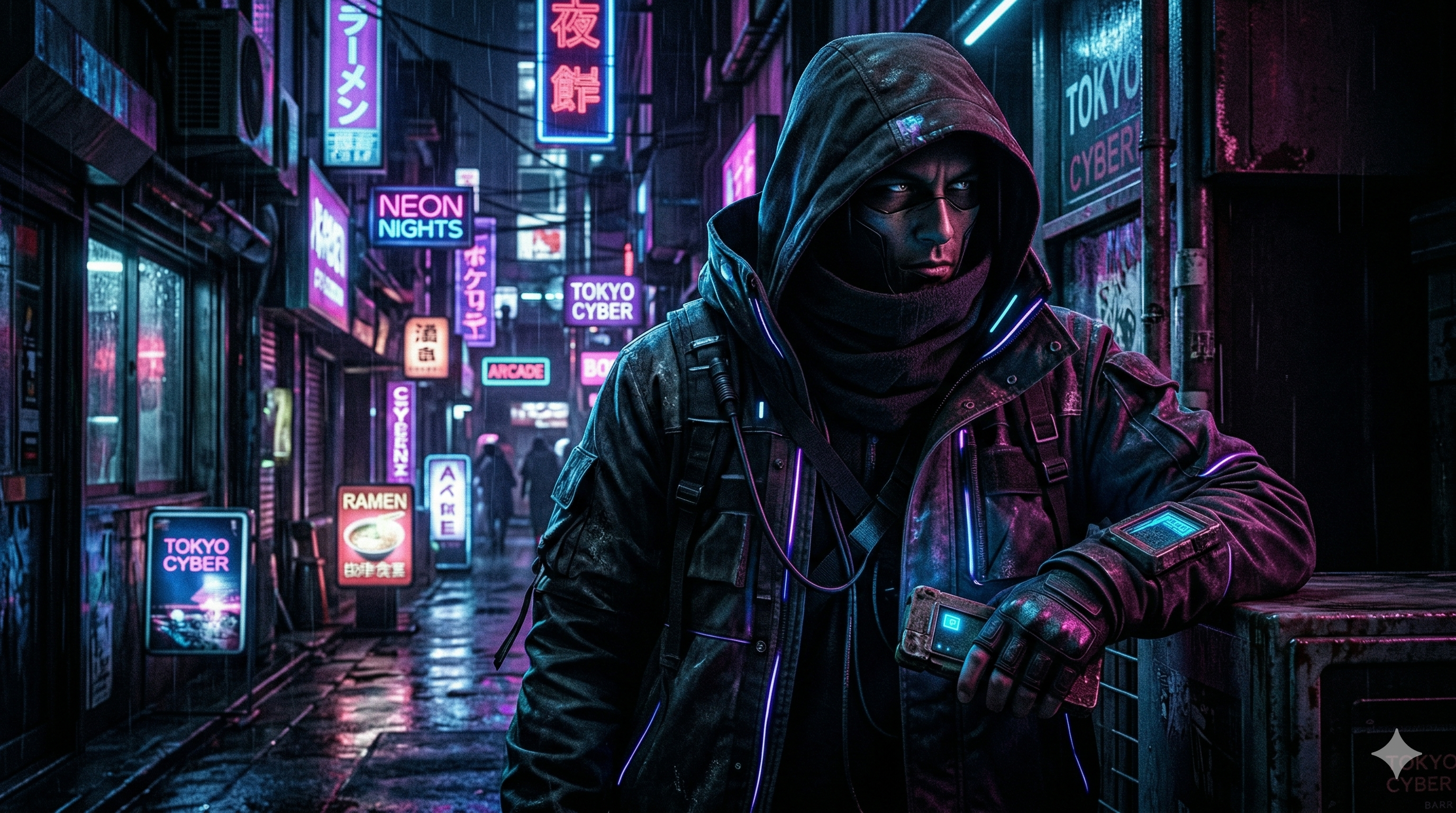
Dark Moody Cyberpunk Portrait: Quick Start
Ek dark moody cyberpunk portrait ke liye sabse useful starting point hai: readable face, ek controlled neon accent, aur simple futuristic background. Sirf neon, cinematic aur ultra-detailed keywords repeat karne ke bajaye batayein ki light kahan se aa rahi hai, subject kya pehne hai aur background kitna visible hona chahiye. Is guide mein aapko six copy-ready prompts, lighting choices, editing instructions aur final image review ka practical workflow milega.
Profile picture ke liye shoulder-up framing se shuru karein. Wallpaper ke liye vertical composition aur head ke upar empty space maangein. Neeche ke prompts creative starting points hain; yeh kisi particular generator par tested results ya guaranteed likeness ka claim nahi karte. Har variation mein subject, pose aur light ko clearly describe kiya gaya hai, taaki aap apne output ke hisaab se ek change at a time kar sakein.
Prompt 1: Realistic Cyan and Magenta Portrait
AI Prompt Box
Create a cinematic shoulder-up portrait of an adult fictional traveller on a quiet futuristic street at night. The subject wears a charcoal technical jacket and looks slightly toward the camera with a calm expression. Soft neutral light reveals both eyes and natural facial texture. A narrow cyan rim light outlines the right shoulder; distant magenta signs form gentle background bokeh. Include subtle rain droplets on the jacket, restrained wet reflections, a clear silhouette, and deep but readable shadows. Keep the face as the brightest area of interest, with realistic eyes and no lettering or logos. Square composition with space around the head for a circular avatar crop.
Output Example — Prompt 1
Author upload required: add a real output for Prompt 1, describe what is visible, and record the tool and version used.
Tool: Author must supply · Version: Author must supply
How to Use and Customize the Portrait
Prompt copy karein aur apne image tool ke prompt box mein paste karein. Tool mein size ya aspect-ratio controls available hon toh output ke purpose ke hisaab se set karein. Pehli image ko final samajhne ke bajaye composition check karein: kya dono eyes readable hain, kya head crop ho raha hai aur kya background face se zyada attention le raha hai? In observations ke baad hi next version banayein.
Apne character ke liye traveller ko adult mechanic, musician ya night-shift courier se replace kar sakte hain. Jacket ke material ko matte fabric, worn leather ya reflective panels mein se ek rakhein. Ek hi prompt mein multiple conflicting outfits add karna avoid karein. Agar existing image edit kar rahe hain, explicitly batayein kaunsi details preserve karni hain: face shape, hairstyle, expression, camera angle aur jacket.
Agar output achha hai lekin face dark hai, sirf yeh edit request karein: Keep the same subject, framing, outfit and background. Add soft neutral fill light to the face so both eyes are visible. Preserve the cyan edge light and keep the street dark. Is instruction ka purpose lighting change ko isolate karna hai; exact identity preservation output dekhkar hi assess karein.
A Reusable Cyberpunk Portrait Formula
Useful structure hai: subject + framing + expression + clothing + main light + accent light + background + intended crop. Example: adult courier, shoulder-up portrait, quiet confident expression, matte black jacket, soft neutral face light, faint purple edge light, blurred rainy alley, square avatar. Is order ko rigid rule samajhne ki zaroorat nahi; yeh missing details pakadne ka checklist hai.
Main light face ko readable banati hai; accent light mood aur outline define karti hai. Background mein ek ya do visual cues kaafi ho sakte hain, jaise blurred sign aur wet pavement. Agar aap flying vehicles, crowds, wires, holograms, smoke aur billboards sab ek close portrait mein maangte hain, image ka focus diffuse ho sakta hai. Pehle clear portrait banayein, phir zaroorat ke hisaab se environment add karein.
Prompt 2: Neon Anime Character
AI Prompt Box
Create a shoulder-up anime illustration of an adult cyberpunk courier at night. Use crisp linework, deliberate cel shading, an expressive but calm face, and a dark high-collar jacket. Light the face with a soft pale key light and add a slim cyan highlight along the hair and jacket edge. Place two blurred magenta light shapes in the distant rainy street. Keep the eyes readable, the silhouette clean and the background simpler than the character. Square avatar composition, no lettering, no logos.
Output Example — Prompt 2
Author upload required: add a real output for Prompt 2, describe what is visible, and record the tool and version used.
Tool: Author must supply · Version: Author must supply
Prompt 3: Electric Orange and Deep Purple
AI Prompt Box
Create a realistic chest-up portrait of an adult fictional street mechanic in a quiet futuristic workshop doorway. Use warm electric-orange light from the left and a faint deep-purple edge light from behind. Show a worn charcoal work jacket, a thoughtful expression, natural skin texture and restrained reflections on metal fittings. Keep the background mostly dark with a single blurred workshop light. Preserve detail in the eyes and avoid glowing skin. Vertical composition with comfortable space around the head and shoulders, no text or logos.
Output Example — Prompt 3
Author upload required: add a real output for Prompt 3, describe what is visible, and record the tool and version used.
Tool: Author must supply · Version: Author must supply
Prompt 4: Rainy Night Phone Wallpaper
AI Prompt Box
Create a vertical cyberpunk character wallpaper featuring an adult traveller standing beneath a narrow shelter on a rainy futuristic street. Place the character in the lower middle of the frame, with the face clearly visible and the upper quarter mostly dark and uncluttered for a phone clock. Use soft neutral facial light, a restrained teal edge light and distant rose-coloured bokeh. Show a long dark coat and subtle wet pavement reflections. Keep the atmosphere quiet, the facial features natural and the silhouette distinct. No lettering, logos or bright signs above the head.
Output Example — Prompt 4
Author upload required: add a real output for Prompt 4, describe what is visible, and record the tool and version used.
Tool: Author must supply · Version: Author must supply
Prompt 5: Minimal Black and White Portrait
AI Prompt Box
Create a monochrome shoulder-up portrait of an adult fictional cyberpunk investigator. Use a dark textured jacket with one small futuristic collar detail, soft side lighting, a subtle pale rim light and a quiet shadowed background. Preserve natural facial texture and detail in the eyes. Suggest the futuristic setting through clothing and a single blurred geometric light rather than busy machinery. Restrained contrast, calm expression, clean silhouette, square composition with room for a circular crop. No text or logos.
Output Example — Prompt 5
Author upload required: add a real output for Prompt 5, describe what is visible, and record the tool and version used.
Tool: Author must supply · Version: Author must supply
Prompt 6: Gaming Channel Banner Composition
AI Prompt Box
Create a wide cinematic cyberpunk portrait composition for a gaming channel banner. Position an adult fictional character on the right third, framed from the chest up in a matte dark technical jacket. Keep the central and left portions mostly dark with low-detail smoky blue atmosphere for separately added channel text. Use neutral light on the face and a narrow cyan rim light, with a few distant magenta reflections behind the character. Keep the face readable at small size and avoid lettering or logos. Leave generous margins so the layout can be adapted to different screen crops.
Output Example — Prompt 6
Author upload required: add a real output for Prompt 6, describe what is visible, and record the tool and version used.
Tool: Author must supply · Version: Author must supply
Choose Lighting, Framing and Colour Deliberately
Cyan aur magenta ek possible palette hai, compulsory cyberpunk formula nahi. Orange aur purple se warmer interpretation try kar sakte hain; monochrome se clothing aur silhouette par focus rahega. Skin par neutral light rakhkar neon ko edges aur background tak limit karna ek useful design option hai. Agar intentionally stylized face chahiye, coloured facial light maangein, lekin result mein eyes aur expression ki readability check karein.
Avatar mein close portrait aur clear head outline prioritize karein. Wallpaper mein empty space aur background ka balance dekhein. Banner mein subject ko side par rakhkar text ke liye quiet area reserve karein, phir platform ke current crop preview mein final design check karein. Prompt mein space for text likhne se layout ka intent clear hota hai; actual title ko editor mein separately add karna aapko font, spelling aur alignment par direct control deta hai.
Photographic phrases jaise portrait lens look aur shallow depth of field visual direction dene ke liye use kar sakte hain. Inhe actual camera metadata, guaranteed optical effect ya file resolution samajhkar publish na karein. Agar background blur face ko bhi soft bana raha hai, instruction simplify karein: face and eyes in clear focus, background softly blurred.
Negative Instructions Without Overloading the Scene
Unwanted elements ko plain language mein specify karein: no lettering, no logos, no glowing eyes, no heavy fog across the face. Agar aapke chosen tool mein separate negative-prompt field ho, uske supported controls ke hisaab se use karein. Kisi doosre generator ke parameter strings blindly paste karne ke bajaye normal descriptive instructions se shuru karein.
Ek long generic negative list har image ki problem solve nahi karti. Pehle output ka actual defect identify karein. Example: cheeks par excessively shiny highlights hon toh restrained skin highlights request karein; background mein random signs hon toh single blurred light shape, no readable signage request karein. Positive replacement batana useful hai, kyunki sirf remove neon kehne se desired lighting direction missing reh jaati hai.
Troubleshooting: Dark Faces, Plastic Skin and Busy Streets
- Face too dark: ask for soft frontal fill and visible detail in both eyes, while keeping the background subdued.
- Plastic skin: remove flawless, porcelain and overly glossy descriptions; request natural texture and restrained highlights.
- Neon overwhelms the subject: reduce to one accent colour and move the second colour into distant background lights.
- Cluttered city: keep one blurred light shape and a simple street silhouette; remove crowds and extra vehicles.
- Hands look distorted: use shoulder-up framing if hands are irrelevant; otherwise simplify the pose and inspect every visible finger.
- Head gets cropped: request additional space above and beside the head, then check the actual exported crop.
Revision ko controlled rakhein. Version A mein original prompt save karein. Version B mein sirf lighting change karein. Version C mein selected lighting ke saath background simplify karein. Yeh ek suggested comparison process hai, model benchmark nahi. Dono previews ko intended size par compare karein: full-screen par impressive street lights small avatar mein distracting blobs ban sakti hain.
Using Your Own Photo as a Reference
Apni photo ko cyberpunk style mein edit karna ho toh aisi image choose karein jisme face clearly visible ho. Image-reference ya editing support available ho toh tool ke us workflow ko use karein. Photo upload karne se pehle relevant privacy settings check karein aur sirf apni ya permission wali photo use karein. Text-only description se exact personal resemblance assume na karein.
Suggested edit instruction: Preserve the visible facial proportions, hairstyle and expression of the reference person. Change the setting to a quiet rainy futuristic street, replace the outfit with a matte charcoal technical jacket and add a subtle cyan rim light. Keep neutral light on the face, natural skin texture and a simple blurred background. Do not add glowing eyes, text or logos. Output mein resemblance inspect karein; significant pose ya lighting change ke baad face drift ho sakta hai.
Crop, Resolution and Final Export Checklist
Square avatar ko circular mask mein preview karein: hairstyle, chin aur jacket collar safe area mein hain ya nahi? Vertical wallpaper ko phone preview mein dekhein, especially clock aur notification placement ke saath. Banner ke liye desktop aur mobile crops compare karein. Composition ko pehle settle karna repeated upscaling se zyada useful ho sakta hai jab main issue framing ho.
Prompt mein 4K likhna output ko automatically 3840 × 2160 pixels nahi banata. Downloaded image ki actual dimensions inspect karein aur apne destination ke required size se compare karein. Available export ya upscale controls use karne ke baad eyes, hair edges, jacket seams aur skin texture phir review karein. Upscaling ke baad bhi original composition aur facial accuracy separately check karni hoti hai.
Final file ko clear naam dein, jaise cyan-cyberpunk-portrait-avatar.webp. Web par image use karte waqt concise alt text mein visible subject aur useful visual details describe karein; keywords ki list repeat na karein. Generated portrait ko real unedited photograph ki tarah present karne ke bajaye context ke hisaab se AI artwork ya edited image label dein.
Frequently Asked Questions (FAQs)
Q: Dark moody cyberpunk portrait ke liye best starting prompt kya hai? - A: Prompt 1 se shuru karein: clear shoulder-up subject, neutral face light, cyan rim light aur distant magenta bokeh. Apne first output ke baad ek lighting ya framing change karke compare karein.
Q: Kya yeh prompts har AI image generator mein same result denge? - A: Nahi. Yeh plain-language creative briefs hain. Har tool instructions ko differently interpret kar sakta hai; supported size aur editing controls us tool mein separately choose karein.
Q: Cyberpunk portrait mein skin realistic kaise rakhein? - A: Natural texture, restrained highlights aur neutral facial light request karein. Flawless skin aur glowing eyes jaise conflicting instructions remove karein, phir full-size face inspect karein.
Q: Kya 4K keyword se actual 4K image milegi? - A: Nahi. Actual resolution export settings aur downloaded file dimensions se confirm hoti hai. 4K wording ko guaranteed output size na samjhein.
Q: Apne face ke saath neon cyberpunk photo kaise banayein? - A: Permission wali clear reference photo aur available image-editing workflow use karein. Facial proportions preserve karne ko kahein, background aur lighting gradually change karein aur resemblance manually check karein.
Q: Profile picture aur wallpaper ke prompts mein kya difference hai? - A: Profile picture mein face aur circular crop prioritize karein. Wallpaper mein vertical layout aur clock ke liye uncluttered space reserve karein.
Related AI Portrait and Image Prompt Guides
Realistic scenes ke aur examples ke liye 25 realistic AI image prompts padhein. Rounded illustrative avatar style explore karna ho toh 3D neon avatar prompt guide dekhein. Dono guides ko alag visual direction samajhkar use karein; is portrait mein ek clear lighting brief aur readable face se shuru karein.