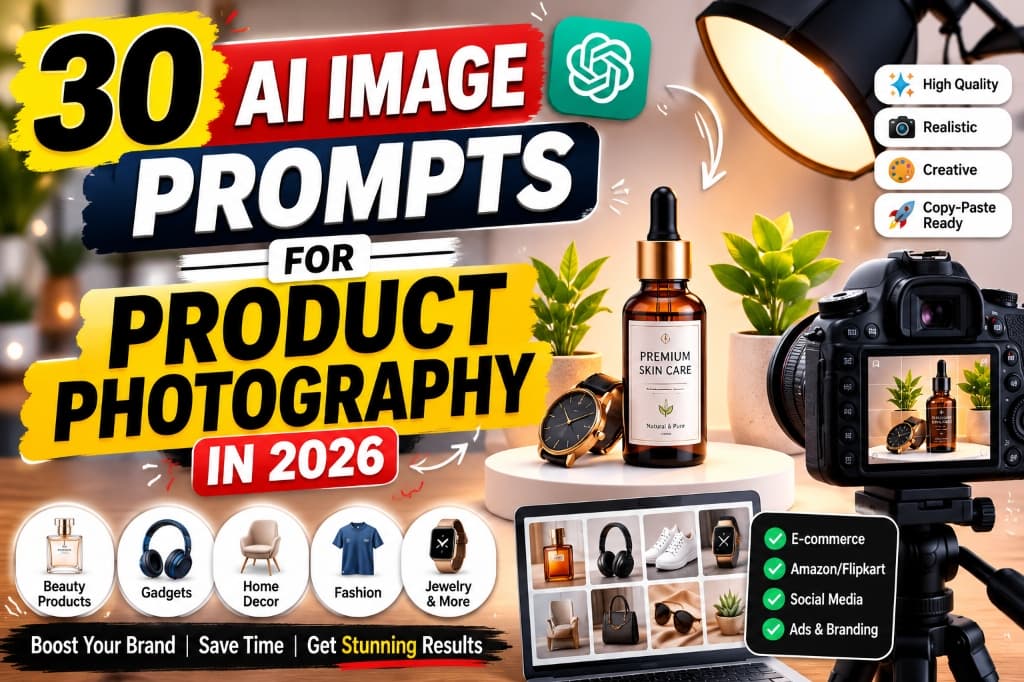
Introduction: Use AI Without Misrepresenting the Product
AI image tools can help ecommerce teams explore backgrounds, lighting, camera angles and campaign concepts before committing to a full production shoot. They are also useful for extending an approved product photograph into lifestyle compositions or social formats. The safest starting point is a clear photograph of the real item—not a text-only request that asks a model to invent the product.
This guide provides 30 adaptable prompts for marketplace, studio, lifestyle and advertising use cases. Each prompt is a creative brief, not a guarantee of an accurate output. Results depend on the image model, version, reference-image controls, aspect ratio and the quality of your source photograph.
| Asset | Recommended starting point | Main review risk |
|---|---|---|
| Main listing image | Real product photograph edited only where the marketplace permits | Incorrect product geometry, label or background rules |
| Secondary listing image | Approved product cutout placed into a relevant scene | Invented accessories, scale or use claims |
| Lifestyle creative | Reference product plus a clearly described environment | Misleading size, material or functionality |
| Concept or moodboard | Text prompt or rough reference | Mistaking a concept for customer-facing evidence |
| Sale advertisement | Approved product image; add offer text in a design tool | Wrong price, dates, disclaimers or distorted text |
What Are AI Product Photography Prompts?
- Product description: What the product looks like, its material, color, and shape
- Background and surface: What the product sits on and what surrounds it
- Lighting: The direction, quality, and mood of the light
- Camera angle: How the product is photographed (front, 45-degree, overhead, etc.)
- Style: The overall mood (luxury, minimal, natural, dramatic, etc.)
- Technical specs: Resolution, aspect ratio, depth of field
How to Write Better AI Prompts for Product Photos
Material/Color: Amber glass, gold accents, white label with minimal text
Background: Beige stone surface with fresh green leaves and small water droplets
Lighting: Warm golden morning sunlight coming from the left side
Camera Angle: 45-degree front-facing angle, slightly low to make the product look tall
Style: Premium, natural, minimal, clean beauty aesthetic
Aspect Ratio: 4:5 (ideal for Instagram and e-commerce)
Quality Details: Ultra-realistic, 4K, sharp focus on product, soft bokeh background, no watermark
Important Rules Before Publishing AI Product Images
Marketplace policies and advertising rules vary by country, category and placement. Verify the current requirements on the platform where the image will appear; do not rely on a generic dimension or background rule copied from another marketplace.
- Preserve product truth: compare the output with the physical item or an approved reference image.
- Protect labels: generate the scene first and composite the real label afterward when the model cannot reproduce it reliably.
- Separate concepts from listings: a moodboard may explore ideas, but a listing must represent what the buyer receives.
- Avoid unsupported claims: do not generate badges, certifications, reviews, before-and-after results or performance demonstrations without evidence and permission.
- Check intellectual-property rights: use product images, logos, fonts and props you are authorized to use.
- Inspect at full size: look for duplicated parts, warped packaging, unreadable text, impossible reflections, inconsistent shadows and incorrect quantities.
- Keep an audit trail: retain the source photograph, prompt, generated output and final edited file for important commercial assets.
Reference-First Workflow for More Accurate Results
- Capture the real product: photograph the front, back, side, label and included accessories in neutral light.
- Create an approved cutout: remove the background while preserving edges, transparency, reflections and proportions.
- Lock invariants: state what must not change, such as packaging geometry, cap color, logo placement and number of items.
- Generate one variable at a time: begin with the background, then adjust lighting or props. This makes errors easier to diagnose.
- Composite exact text afterward: use the real packaging artwork or add marketing copy in a layout tool instead of trusting generated typography.
- Run visual QA: compare the final asset beside the reference at 100% zoom and on a mobile-size preview.
- Check destination rules: review the marketplace or ad platform policy immediately before publishing.
Reusable instruction block: Add this after any prompt when your tool accepts reference images: “Use the attached product image as the identity reference. Preserve the exact silhouette, dimensions, color, material, label position, logo, cap and included parts. Change only the background, lighting and permitted props. Do not invent text, features, accessories or quantities.”
How to Evaluate a Generated Product Image
| Check | Pass condition | If it fails |
|---|---|---|
| Identity | Shape, color and construction match the reference | Regenerate with stronger reference controls or composite the real cutout |
| Label | All visible text and symbols are exact | Remove generated text and apply approved artwork manually |
| Scale | Product size is believable beside props or people | Use fewer props and specify real dimensions |
| Lighting | Highlights and shadows share one plausible direction | Simplify the scene and state key-light direction |
| Quantity | Only the items included with purchase are shown | Remove duplicates and invented accessories |
| Claims | Every badge, result or feature is documented | Delete unsupported visual or text claims |
| Mobile crop | Product remains clear at feed or listing size | Reduce empty space and export the destination ratio |
Do not publish an image merely because it looks polished. Commercial quality is a combination of visual clarity, product accuracy, rights clearance and suitability for the exact placement.
30 Copy-Paste AI Image Prompts for Product Photography
Prompt 1 – Clean White-Background Product Image for Marketplace Listing
AI Prompt Box
Output Example — Prompt 1
Tool: Author must supply · Version: Author must supply
Prompt 2 – Premium Studio Product Photo with Softbox Lighting
AI Prompt Box
Output Example — Prompt 2
Tool: Author must supply · Version: Author must supply
Prompt 3 – Luxury Perfume Bottle Photography
AI Prompt Box
Output Example — Prompt 3
Tool: Author must supply · Version: Author must supply
Prompt 4 – Skincare Serum Bottle with Natural Elements
AI Prompt Box
Output Example — Prompt 4
Tool: Author must supply · Version: Author must supply
Prompt 5 – Cosmetic Makeup Product Flat-Lay Image
AI Prompt Box
Output Example — Prompt 5
Tool: Author must supply · Version: Author must supply
Prompt 6 – Fashion Clothing Product on a Realistic Model
AI Prompt Box
Output Example — Prompt 6
Tool: Author must supply · Version: Author must supply
Prompt 7 – T-Shirt Product Mockup with Clean Background
AI Prompt Box
Output Example — Prompt 7
Tool: Author must supply · Version: Author must supply
Prompt 8 – Shoes Product Photography with Dramatic Lighting
AI Prompt Box
Output Example — Prompt 8
Tool: Author must supply · Version: Author must supply
Prompt 9 – Watch Photography with Luxury Black Background
AI Prompt Box
Output Example — Prompt 9
Tool: Author must supply · Version: Author must supply
Prompt 10 – Jewelry Product Photography with Elegant Reflections
AI Prompt Box
Output Example — Prompt 10
Tool: Author must supply · Version: Author must supply
Prompt 11 – Handbag Product Image for Online Store
AI Prompt Box
Output Example — Prompt 11
Tool: Author must supply · Version: Author must supply
Prompt 12 – Mobile Phone Accessory Product Photography
AI Prompt Box
Output Example — Prompt 12
Tool: Author must supply · Version: Author must supply
Prompt 13 – Electronics Gadget Product Image with Futuristic Setup
AI Prompt Box
Output Example — Prompt 13
Tool: Author must supply · Version: Author must supply
Prompt 14 – Home Décor Product in a Modern Living Room
AI Prompt Box
Output Example — Prompt 14
Tool: Author must supply · Version: Author must supply
Prompt 15 – Furniture Product Lifestyle Image
AI Prompt Box
Output Example — Prompt 15
Tool: Author must supply · Version: Author must supply
Prompt 16 – Kitchen Product Image in a Clean Kitchen Environment
AI Prompt Box
Output Example — Prompt 16
Tool: Author must supply · Version: Author must supply
Prompt 17 – Food Product Packaging Photography
AI Prompt Box
Output Example — Prompt 17
Tool: Author must supply · Version: Author must supply
Prompt 18 – Coffee Product Advertisement Visual
AI Prompt Box
Output Example — Prompt 18
Tool: Author must supply · Version: Author must supply
Prompt 19 – Organic Product Photography with Natural Background
AI Prompt Box
Output Example — Prompt 19
Tool: Author must supply · Version: Author must supply
Prompt 20 – Handmade Craft Product Image
AI Prompt Box
Output Example — Prompt 20
Tool: Author must supply · Version: Author must supply
Prompt 21 – Baby Product Photography with Soft Pastel Setup
AI Prompt Box
Output Example — Prompt 21
Tool: Author must supply · Version: Author must supply
Prompt 22 – Pet Product Lifestyle Image
AI Prompt Box
Output Example — Prompt 22
Tool: Author must supply · Version: Author must supply
Prompt 23 – Fitness Product Photography
AI Prompt Box
Output Example — Prompt 23
Tool: Author must supply · Version: Author must supply
Prompt 24 – Beauty Product Social-Media Ad Creative
AI Prompt Box
Output Example — Prompt 24
Tool: Author must supply · Version: Author must supply
Prompt 25 – Product Before-and-After Comparison Visual
AI Prompt Box
Output Example — Prompt 25
Tool: Author must supply · Version: Author must supply
Prompt 26 – Seasonal Festival Product Visual for Diwali
AI Prompt Box
Output Example — Prompt 26
Tool: Author must supply · Version: Author must supply
Prompt 27 – Sale Banner Product Photography for E-commerce Campaign
AI Prompt Box
Output Example — Prompt 27
Tool: Author must supply · Version: Author must supply
Prompt 28 – Instagram Carousel Product Image Concept
AI Prompt Box
Output Example — Prompt 28
Tool: Author must supply · Version: Author must supply
Prompt 29 – Product Unboxing Scene
AI Prompt Box
Output Example — Prompt 29
Tool: Author must supply · Version: Author must supply
Prompt 30 – High-End Commercial Advertising Product Shot
AI Prompt Box
Output Example — Prompt 30
Tool: Author must supply · Version: Author must supply
Example Prompt: Skincare Product Photography
Brand style: Premium, natural, minimal
Background: Beige stone surface with green leaves
Lighting: Warm morning sunlight
Aspect ratio: 4:5
- It specifies every visual detail: bottle shape, cap color, label text, surface material, and props
- It defines the lighting direction and quality (warm, from upper-left)
- It sets the camera perspective (shallow depth of field)
- It includes quality guards (no distortion, no watermark, no duplicates)
- It matches the brand aesthetic (premium, natural, minimal)
Output Example — Prompt 31
Tool: Author must supply · Version: Author must supply
Choosing an AI Image Workflow for Product Photography
Choose a tool by the control you need rather than by a universal ranking. For an existing product, prioritize strong reference-image preservation, selective editing, masking and repeatable aspect-ratio controls. For early campaign concepts, broad text-to-image exploration may be sufficient. For final packaging and offer text, use a conventional design editor so every character remains exact.
| Workflow need | Capability to look for | Question to test |
|---|---|---|
| Keep the same product | High-fidelity image reference or product-preservation control | Does a second generation keep the silhouette and label position? |
| Replace only a background | Masking or targeted edit | Are product edges and reflections unchanged? |
| Create many campaign ratios | Canvas extension and reliable cropping | Can it add space without stretching the product? |
| Accurate label and price | Layer-based design editing | Can approved artwork be placed without regeneration? |
| Team approval | Version history and shared review | Can reviewers trace the source and final changes? |
Popular general image generators and editing suites can support parts of this workflow, but their features, plans and commercial terms change. Test with a non-confidential sample, read the current provider terms and select the option that preserves your product most reliably.
Common Mistakes to Avoid
- Starting without a reference: text-only generation often invents a product rather than reproducing yours.
- Changing several variables together: altering scene, angle, lighting and packaging at once makes quality control difficult.
- Trusting generated typography: labels, prices and offer dates should be applied from approved source files.
- Using decorative props that imply inclusion: customers may believe pictured accessories come in the package.
- Ignoring scale: a bottle, watch or piece of furniture can appear larger or smaller than the real item.
- Publishing unsupported before-and-after visuals: outcome imagery needs appropriate evidence and must comply with category-specific rules.
- Using one crop everywhere: create deliberate versions for square listings, vertical feeds and wide banners.
- Skipping a mobile review: important label or product detail may disappear at the size customers actually see.
Frequently Asked Questions
Yes, AI image generators can create product photo concepts, lifestyle visuals, ad creatives, and background mockups for e-commerce. However, you should always ensure the generated image accurately represents your real product. Many sellers use AI to prototype concepts and then refine them in design tools.
This depends on each platform's current image policies. Some marketplaces require real product photographs for the main listing image, while others accept AI-enhanced or generated visuals in secondary image slots. Always check the latest image guidelines of your specific selling platform before uploading AI-generated images.
Include specific details in your prompt: exact product material, accurate colors, professional lighting direction, natural shadows, correct proportions, and high resolution (4K or 8K). Avoid generic prompts. The more specific your description, the more realistic the output.
At minimum, include: product description (shape, size, material, color), background and surface, lighting type and direction, camera angle, visual style, aspect ratio, and quality settings (resolution, sharp focus, no watermark). The formula provided earlier in this guide covers all essential elements.
Yes, specify "pure white background" and "even studio lighting with no shadows" in your prompt. This produces clean, marketplace-ready product images. Add "centered composition" and the correct aspect ratio (usually 1:1) for best results.
It depends on the platform: 1:1 (square) for most marketplace listings, 3:4 or 4:5 for product pages and Instagram, 16:9 for website banners and YouTube, and 9:16 for Instagram Stories and Reels. Always match the ratio to your destination platform.
Yes, AI-generated product images work well for Instagram ads, carousel posts, Stories, and Reels content. Lifestyle and creative compositions tend to perform better on Instagram than plain white-background images. Just make sure the images accurately represent your product.
AI often distorts or generates incorrect text on product labels. The best approach is to generate the product image without text on the label, then add your actual label design manually using Canva, Photoshop, or another design tool. Alternatively, specify "no visible text on label" in your prompt and overlay the real label in post-production.
Conclusion: Accuracy Comes Before Visual Polish
These 30 prompts are starting briefs for different product categories and placements. Adapt the product details, environment, lighting and output ratio, but keep the real item's identity fixed. A reference-first edit will usually be safer for customer-facing work than generating a product entirely from text.
Before publishing, compare the output with the real product, replace generated label text with approved artwork, remove anything not included with purchase and verify the current destination-platform rules. The best result is not simply attractive—it is accurate, reviewable and appropriate for the buyer's context.
For an end-to-end workflow covering images, product copy and campaign assets, read How to Use AI for Product Photography and Marketing.
Related Articles
- Generate photorealistic AI images with 25 Best Nano Banana Prompts for Realistic AI Images.
- Create stunning YouTube thumbnails with Best AI Image Generators for YouTube Thumbnails in 2026.
- Start an AI thumbnail design business with How to Start an AI Thumbnail Design Business in 2026.
- Boost your content workflow with Best AI Tools for Content Creators in 2026.
- Improve product visibility with Best AI SEO Tools in 2026.
- Discover AI marketing tools for your store with Best AI Marketing Tools for Small Businesses in 2026.
- Use ChatGPT prompts for YouTube content with 50 Best ChatGPT Prompts for YouTube Creators in 2026.