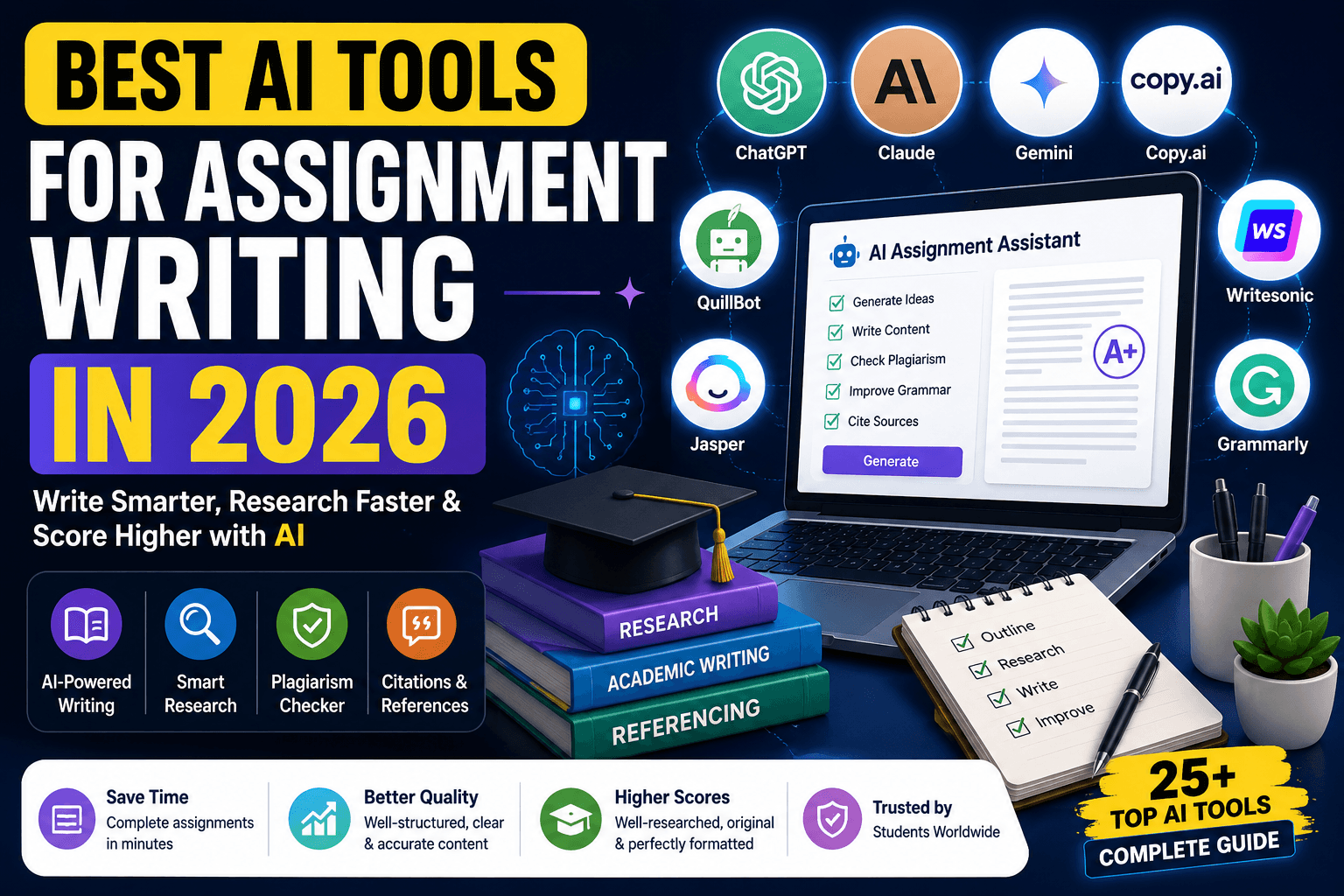
Introduction: Best AI Tools for Assignment Writing in 2026
Write smarter, research faster and improve assignment quality with AI while keeping your work original and academically honest.
Direct answer: The best AI tools for assignment writing help students plan topics, research faster, create outlines, improve grammar, check citations, summarize papers and produce clearer academic drafts. They should support learning, not replace your thinking.
Assignment writing has changed quickly. Students now use AI for brainstorming, reading support, source discovery, grammar improvement, citation management, presentation design and revision. The challenge is choosing tools that improve quality without creating plagiarism, fake references or generic writing.
This updated 2026 guide compares 25 AI tools for assignment writing, research, citations, referencing, grammar, presentations and academic productivity. It is built for school students, college students, freshers, online learners, researchers and anyone who wants to submit better work with less stress.
How to Use AI for Assignments Without Losing Originality
Direct answer: Use AI for planning, explanation, feedback and editing, but write the final assignment yourself. This keeps the work honest, personal and aligned with academic rules.
- Ask AI to explain the topic before writing.
- Create an outline, then add your own examples and arguments.
- Use research tools to find sources, not invent citations.
- Use grammar tools after drafting, not before understanding.
- Check every statistic, quote and citation manually.
- Rewrite AI suggestions in your own voice.
Quick Comparison Table
| Tool | Best For | Pricing | Primary Use | Rating |
|---|---|---|---|---|
| ChatGPT | Best overall assignment assistant | Free plan; paid plans available | Ideas, outlines, drafts, explanations, editing and study help | 9.7/10 |
| Claude | Best for long academic drafts and feedback | Free plan; paid plans available | Long-form writing, rewriting, critique, summaries and structure | 9.5/10 |
| Gemini | Best for Google-based student workflow | Free access; paid Google AI plans vary | Research, explanations, Docs workflow and multimodal help | 9.1/10 |
| Perplexity | Best for source-backed research | Free plan; paid Pro plan | Research answers, source discovery and topic exploration | 9.2/10 |
| QuillBot | Best paraphrasing and citation helper | Free plan; premium plan available | Paraphrasing, grammar, summarizing, citations and plagiarism tools | 8.9/10 |
| Grammarly | Best grammar and clarity checker | Free plan; paid Pro plans available | Grammar, tone, clarity, rewrites and plagiarism/AI checks on paid plans | 9/10 |
| Jasper | Best premium writing workflow for creators | Paid plans | Structured writing, brand voice, content repurposing and outlines | 8.4/10 |
| Copy.ai | Best quick copy and explanation drafts | Free and paid plans vary | Short drafts, summaries, email-style writing and idea generation | 8.2/10 |
| Writesonic | Best SEO and blog-style assignment drafts | Free and paid plans vary | Article drafts, intros, conclusions, outlines and rewrites | 8.3/10 |
| Notion AI | Best assignment planning workspace | Free workspace options; AI features vary by plan | Notes, task planning, research logs and revision databases | 8.8/10 |
| Canva AI | Best visuals and presentation assignments | Free plan; Pro and Teams plans | Slides, infographics, visuals, charts and presentation design | 9.1/10 |
| Elicit | Best literature review support | Free and paid plans vary | Paper discovery, research summaries and evidence tables | 8.8/10 |
| Consensus | Best evidence-based research answers | Free and paid plans vary | Scientific search, paper summaries and evidence checks | 8.7/10 |
| Semantic Scholar | Best free academic paper search | Free | Academic paper search, citations and research discovery | 8.6/10 |
| Google Scholar | Best free citation discovery | Free | Academic source discovery, citation trails and related papers | 8.5/10 |
| Zotero | Best free reference manager | Free; optional paid storage | Citation library, references, browser capture and bibliography workflow | 9/10 |
| Mendeley | Best PDF and reference organization | Free; paid storage options may vary | PDF library, citations, notes and reference management | 8.4/10 |
| Paperpal | Best academic language improvement | Free and paid plans vary | Academic editing, grammar, clarity and manuscript checks | 8.6/10 |
| Jenni AI | Best guided academic writing | Free and paid plans vary | Academic drafts, citations, autocomplete and outline support | 8.5/10 |
| SciSpace | Best paper explanation and reading help | Free and paid plans vary | Research paper explanation, literature search and citation help | 8.6/10 |
| Scholarcy | Best research paper summaries | Free and paid plans vary | Paper summaries, flashcards and literature review extraction | 8.3/10 |
| ResearchRabbit | Best visual research discovery | Free | Paper collections, related research maps and discovery graphs | 8.4/10 |
| Scite | Best citation context checker | Paid plans; trial availability varies | Citation context, supporting/contrasting papers and research validation | 8.5/10 |
| DeepL Write | Best English improvement for non-native writers | Free and paid plans vary | Rewrite suggestions, tone improvement and clear academic English | 8.4/10 |
| Wordtune | Best sentence rewriting assistant | Free and paid plans vary | Sentence rewrites, tone changes and clarity improvements | 8.2/10 |
Best AI Assignment Tools by Category
| Category | Best Tools | Use When You Need |
|---|---|---|
| Writing and drafting | ChatGPT, Claude, Gemini, Jasper, Writesonic, Jenni AI | Outlines, introductions, arguments, conclusions and rewrites |
| Grammar and clarity | Grammarly, Paperpal, DeepL Write, Wordtune, QuillBot | Cleaner sentences, academic tone and readable English |
| Research | Perplexity, Elicit, Consensus, Semantic Scholar, Google Scholar | Source discovery, paper summaries and topic exploration |
| Citations and references | Zotero, Mendeley, QuillBot, Google Scholar, SciSpace | Bibliographies, citation libraries and source organization |
| Presentations and visuals | Canva AI, Gamma, ChatGPT | Slides, infographics, diagrams and speaker notes |
| Literature reviews | Elicit, ResearchRabbit, SciSpace, Scholarcy, Scite | Finding related papers, extracting summaries and checking citation context |
1. ChatGPT
Best overall assignment assistant
Direct answer: ChatGPT is best overall assignment assistant. Students should use it for ideas, outlines, drafts, explanations, editing and study help, while still writing the final submission in their own voice.
| Area | Details |
|---|---|
| Overview | ChatGPT helps students speed up assignment work without starting from a blank page. |
| Pricing | Free plan; paid plans available. Check the official website for current pricing and plan limits. |
| Free Plan | Yes, free or limited free access is available |
| Best For | Best overall assignment assistant |
| Key Features | Ideas, outlines, drafts, explanations, editing and study help |
| AI Features | Research help, generation, rewriting, summarization, grammar, citations or study assistance depending on the tool |
| Pros | Saves time, improves structure, supports clearer writing and helps organize research |
| Cons | Needs fact-checking, originality review, citation verification and human editing |
| Use Cases | Ideas, outlines, drafts, explanations, editing and study help |
| Rating | 9.7/10 |
| Official Website | https://chatgpt.com/pricing/ |
Expert verdict: ChatGPT is useful when it improves learning and structure. Do not copy AI output blindly. Use it to plan, research, edit and understand the topic better.
2. Claude
Best for long academic drafts and feedback
Direct answer: Claude is best for long academic drafts and feedback. Students should use it for long-form writing, rewriting, critique, summaries and structure, while still writing the final submission in their own voice.
| Area | Details |
|---|---|
| Overview | Claude helps students speed up assignment work without starting from a blank page. |
| Pricing | Free plan; paid plans available. Check the official website for current pricing and plan limits. |
| Free Plan | Yes, free or limited free access is available |
| Best For | Best for long academic drafts and feedback |
| Key Features | Long-form writing, rewriting, critique, summaries and structure |
| AI Features | Research help, generation, rewriting, summarization, grammar, citations or study assistance depending on the tool |
| Pros | Saves time, improves structure, supports clearer writing and helps organize research |
| Cons | Needs fact-checking, originality review, citation verification and human editing |
| Use Cases | Long-form writing, rewriting, critique, summaries and structure |
| Rating | 9.5/10 |
| Official Website | https://www.anthropic.com/pricing |
Expert verdict: Claude is useful when it improves learning and structure. Do not copy AI output blindly. Use it to plan, research, edit and understand the topic better.
3. Gemini
Best for Google-based student workflow
Direct answer: Gemini is best for google-based student workflow. Students should use it for research, explanations, docs workflow and multimodal help, while still writing the final submission in their own voice.
| Area | Details |
|---|---|
| Overview | Gemini helps students speed up assignment work without starting from a blank page. |
| Pricing | Free access; paid Google AI plans vary. Check the official website for current pricing and plan limits. |
| Free Plan | Yes, free or limited free access is available |
| Best For | Best for Google-based student workflow |
| Key Features | Research, explanations, Docs workflow and multimodal help |
| AI Features | Research help, generation, rewriting, summarization, grammar, citations or study assistance depending on the tool |
| Pros | Saves time, improves structure, supports clearer writing and helps organize research |
| Cons | Needs fact-checking, originality review, citation verification and human editing |
| Use Cases | Research, explanations, Docs workflow and multimodal help |
| Rating | 9.1/10 |
| Official Website | https://gemini.google.com/ |
Expert verdict: Gemini is useful when it improves learning and structure. Do not copy AI output blindly. Use it to plan, research, edit and understand the topic better.
4. Perplexity
Best for source-backed research
Direct answer: Perplexity is best for source-backed research. Students should use it for research answers, source discovery and topic exploration, while still writing the final submission in their own voice.
| Area | Details |
|---|---|
| Overview | Perplexity helps students speed up assignment work without starting from a blank page. |
| Pricing | Free plan; paid Pro plan. Check the official website for current pricing and plan limits. |
| Free Plan | Yes, free or limited free access is available |
| Best For | Best for source-backed research |
| Key Features | Research answers, source discovery and topic exploration |
| AI Features | Research help, generation, rewriting, summarization, grammar, citations or study assistance depending on the tool |
| Pros | Saves time, improves structure, supports clearer writing and helps organize research |
| Cons | Needs fact-checking, originality review, citation verification and human editing |
| Use Cases | Research answers, source discovery and topic exploration |
| Rating | 9.2/10 |
| Official Website | https://www.perplexity.ai/ |
Expert verdict: Perplexity is useful when it improves learning and structure. Do not copy AI output blindly. Use it to plan, research, edit and understand the topic better.
5. QuillBot
Best paraphrasing and citation helper
Direct answer: QuillBot is best paraphrasing and citation helper. Students should use it for paraphrasing, grammar, summarizing, citations and plagiarism tools, while still writing the final submission in their own voice.
| Area | Details |
|---|---|
| Overview | QuillBot helps students speed up assignment work without starting from a blank page. |
| Pricing | Free plan; premium plan available. Check the official website for current pricing and plan limits. |
| Free Plan | Yes, free or limited free access is available |
| Best For | Best paraphrasing and citation helper |
| Key Features | Paraphrasing, grammar, summarizing, citations and plagiarism tools |
| AI Features | Research help, generation, rewriting, summarization, grammar, citations or study assistance depending on the tool |
| Pros | Saves time, improves structure, supports clearer writing and helps organize research |
| Cons | Needs fact-checking, originality review, citation verification and human editing |
| Use Cases | Paraphrasing, grammar, summarizing, citations and plagiarism tools |
| Rating | 8.9/10 |
| Official Website | https://quillbot.com/ |
Expert verdict: QuillBot is useful when it improves learning and structure. Do not copy AI output blindly. Use it to plan, research, edit and understand the topic better.
6. Grammarly
Best grammar and clarity checker
Direct answer: Grammarly is best grammar and clarity checker. Students should use it for grammar, tone, clarity, rewrites and plagiarism/ai checks on paid plans, while still writing the final submission in their own voice.
| Area | Details |
|---|---|
| Overview | Grammarly helps students speed up assignment work without starting from a blank page. |
| Pricing | Free plan; paid Pro plans available. Check the official website for current pricing and plan limits. |
| Free Plan | Yes, free or limited free access is available |
| Best For | Best grammar and clarity checker |
| Key Features | Grammar, tone, clarity, rewrites and plagiarism/AI checks on paid plans |
| AI Features | Research help, generation, rewriting, summarization, grammar, citations or study assistance depending on the tool |
| Pros | Saves time, improves structure, supports clearer writing and helps organize research |
| Cons | Needs fact-checking, originality review, citation verification and human editing |
| Use Cases | Grammar, tone, clarity, rewrites and plagiarism/AI checks on paid plans |
| Rating | 9/10 |
| Official Website | https://www.grammarly.com/plans |
Expert verdict: Grammarly is useful when it improves learning and structure. Do not copy AI output blindly. Use it to plan, research, edit and understand the topic better.
7. Jasper
Best premium writing workflow for creators
Direct answer: Jasper is best premium writing workflow for creators. Students should use it for structured writing, brand voice, content repurposing and outlines, while still writing the final submission in their own voice.
| Area | Details |
|---|---|
| Overview | Jasper helps students speed up assignment work without starting from a blank page. |
| Pricing | Paid plans. Check the official website for current pricing and plan limits. |
| Free Plan | Mostly paid or trial-based |
| Best For | Best premium writing workflow for creators |
| Key Features | Structured writing, brand voice, content repurposing and outlines |
| AI Features | Research help, generation, rewriting, summarization, grammar, citations or study assistance depending on the tool |
| Pros | Saves time, improves structure, supports clearer writing and helps organize research |
| Cons | Needs fact-checking, originality review, citation verification and human editing |
| Use Cases | Structured writing, brand voice, content repurposing and outlines |
| Rating | 8.4/10 |
| Official Website | https://www.jasper.ai/pricing |
Expert verdict: Jasper is useful when it improves learning and structure. Do not copy AI output blindly. Use it to plan, research, edit and understand the topic better.
8. Copy.ai
Best quick copy and explanation drafts
Direct answer: Copy.ai is best quick copy and explanation drafts. Students should use it for short drafts, summaries, email-style writing and idea generation, while still writing the final submission in their own voice.
| Area | Details |
|---|---|
| Overview | Copy.ai helps students speed up assignment work without starting from a blank page. |
| Pricing | Free and paid plans vary. Check the official website for current pricing and plan limits. |
| Free Plan | Yes, free or limited free access is available |
| Best For | Best quick copy and explanation drafts |
| Key Features | Short drafts, summaries, email-style writing and idea generation |
| AI Features | Research help, generation, rewriting, summarization, grammar, citations or study assistance depending on the tool |
| Pros | Saves time, improves structure, supports clearer writing and helps organize research |
| Cons | Needs fact-checking, originality review, citation verification and human editing |
| Use Cases | Short drafts, summaries, email-style writing and idea generation |
| Rating | 8.2/10 |
| Official Website | https://www.copy.ai/prices |
Expert verdict: Copy.ai is useful when it improves learning and structure. Do not copy AI output blindly. Use it to plan, research, edit and understand the topic better.
9. Writesonic
Best SEO and blog-style assignment drafts
Direct answer: Writesonic is best seo and blog-style assignment drafts. Students should use it for article drafts, intros, conclusions, outlines and rewrites, while still writing the final submission in their own voice.
| Area | Details |
|---|---|
| Overview | Writesonic helps students speed up assignment work without starting from a blank page. |
| Pricing | Free and paid plans vary. Check the official website for current pricing and plan limits. |
| Free Plan | Yes, free or limited free access is available |
| Best For | Best SEO and blog-style assignment drafts |
| Key Features | Article drafts, intros, conclusions, outlines and rewrites |
| AI Features | Research help, generation, rewriting, summarization, grammar, citations or study assistance depending on the tool |
| Pros | Saves time, improves structure, supports clearer writing and helps organize research |
| Cons | Needs fact-checking, originality review, citation verification and human editing |
| Use Cases | Article drafts, intros, conclusions, outlines and rewrites |
| Rating | 8.3/10 |
| Official Website | https://writesonic.com/pricing |
Expert verdict: Writesonic is useful when it improves learning and structure. Do not copy AI output blindly. Use it to plan, research, edit and understand the topic better.
10. Notion AI
Best assignment planning workspace
Direct answer: Notion AI is best assignment planning workspace. Students should use it for notes, task planning, research logs and revision databases, while still writing the final submission in their own voice.
| Area | Details |
|---|---|
| Overview | Notion AI helps students speed up assignment work without starting from a blank page. |
| Pricing | Free workspace options; AI features vary by plan. Check the official website for current pricing and plan limits. |
| Free Plan | Yes, free or limited free access is available |
| Best For | Best assignment planning workspace |
| Key Features | Notes, task planning, research logs and revision databases |
| AI Features | Research help, generation, rewriting, summarization, grammar, citations or study assistance depending on the tool |
| Pros | Saves time, improves structure, supports clearer writing and helps organize research |
| Cons | Needs fact-checking, originality review, citation verification and human editing |
| Use Cases | Notes, task planning, research logs and revision databases |
| Rating | 8.8/10 |
| Official Website | https://www.notion.com/product/ai |
Expert verdict: Notion AI is useful when it improves learning and structure. Do not copy AI output blindly. Use it to plan, research, edit and understand the topic better.
11. Canva AI
Best visuals and presentation assignments
Direct answer: Canva AI is best visuals and presentation assignments. Students should use it for slides, infographics, visuals, charts and presentation design, while still writing the final submission in their own voice.
| Area | Details |
|---|---|
| Overview | Canva AI helps students speed up assignment work without starting from a blank page. |
| Pricing | Free plan; Pro and Teams plans. Check the official website for current pricing and plan limits. |
| Free Plan | Yes, free or limited free access is available |
| Best For | Best visuals and presentation assignments |
| Key Features | Slides, infographics, visuals, charts and presentation design |
| AI Features | Research help, generation, rewriting, summarization, grammar, citations or study assistance depending on the tool |
| Pros | Saves time, improves structure, supports clearer writing and helps organize research |
| Cons | Needs fact-checking, originality review, citation verification and human editing |
| Use Cases | Slides, infographics, visuals, charts and presentation design |
| Rating | 9.1/10 |
| Official Website | https://www.canva.com/pricing/ |
Expert verdict: Canva AI is useful when it improves learning and structure. Do not copy AI output blindly. Use it to plan, research, edit and understand the topic better.
12. Elicit
Best literature review support
Direct answer: Elicit is best literature review support. Students should use it for paper discovery, research summaries and evidence tables, while still writing the final submission in their own voice.
| Area | Details |
|---|---|
| Overview | Elicit helps students speed up assignment work without starting from a blank page. |
| Pricing | Free and paid plans vary. Check the official website for current pricing and plan limits. |
| Free Plan | Yes, free or limited free access is available |
| Best For | Best literature review support |
| Key Features | Paper discovery, research summaries and evidence tables |
| AI Features | Research help, generation, rewriting, summarization, grammar, citations or study assistance depending on the tool |
| Pros | Saves time, improves structure, supports clearer writing and helps organize research |
| Cons | Needs fact-checking, originality review, citation verification and human editing |
| Use Cases | Paper discovery, research summaries and evidence tables |
| Rating | 8.8/10 |
| Official Website | https://elicit.com/ |
Expert verdict: Elicit is useful when it improves learning and structure. Do not copy AI output blindly. Use it to plan, research, edit and understand the topic better.
13. Consensus
Best evidence-based research answers
Direct answer: Consensus is best evidence-based research answers. Students should use it for scientific search, paper summaries and evidence checks, while still writing the final submission in their own voice.
| Area | Details |
|---|---|
| Overview | Consensus helps students speed up assignment work without starting from a blank page. |
| Pricing | Free and paid plans vary. Check the official website for current pricing and plan limits. |
| Free Plan | Yes, free or limited free access is available |
| Best For | Best evidence-based research answers |
| Key Features | Scientific search, paper summaries and evidence checks |
| AI Features | Research help, generation, rewriting, summarization, grammar, citations or study assistance depending on the tool |
| Pros | Saves time, improves structure, supports clearer writing and helps organize research |
| Cons | Needs fact-checking, originality review, citation verification and human editing |
| Use Cases | Scientific search, paper summaries and evidence checks |
| Rating | 8.7/10 |
| Official Website | https://consensus.app/pricing/ |
Expert verdict: Consensus is useful when it improves learning and structure. Do not copy AI output blindly. Use it to plan, research, edit and understand the topic better.
14. Semantic Scholar
Best free academic paper search
Direct answer: Semantic Scholar is best free academic paper search. Students should use it for academic paper search, citations and research discovery, while still writing the final submission in their own voice.
| Area | Details |
|---|---|
| Overview | Semantic Scholar helps students speed up assignment work without starting from a blank page. |
| Pricing | Free. Check the official website for current pricing and plan limits. |
| Free Plan | Yes, free or limited free access is available |
| Best For | Best free academic paper search |
| Key Features | Academic paper search, citations and research discovery |
| AI Features | Research help, generation, rewriting, summarization, grammar, citations or study assistance depending on the tool |
| Pros | Saves time, improves structure, supports clearer writing and helps organize research |
| Cons | Needs fact-checking, originality review, citation verification and human editing |
| Use Cases | Academic paper search, citations and research discovery |
| Rating | 8.6/10 |
| Official Website | https://www.semanticscholar.org/ |
Expert verdict: Semantic Scholar is useful when it improves learning and structure. Do not copy AI output blindly. Use it to plan, research, edit and understand the topic better.
15. Google Scholar
Best free citation discovery
Direct answer: Google Scholar is best free citation discovery. Students should use it for academic source discovery, citation trails and related papers, while still writing the final submission in their own voice.
| Area | Details |
|---|---|
| Overview | Google Scholar helps students speed up assignment work without starting from a blank page. |
| Pricing | Free. Check the official website for current pricing and plan limits. |
| Free Plan | Yes, free or limited free access is available |
| Best For | Best free citation discovery |
| Key Features | Academic source discovery, citation trails and related papers |
| AI Features | Research help, generation, rewriting, summarization, grammar, citations or study assistance depending on the tool |
| Pros | Saves time, improves structure, supports clearer writing and helps organize research |
| Cons | Needs fact-checking, originality review, citation verification and human editing |
| Use Cases | Academic source discovery, citation trails and related papers |
| Rating | 8.5/10 |
| Official Website | https://scholar.google.com/ |
Expert verdict: Google Scholar is useful when it improves learning and structure. Do not copy AI output blindly. Use it to plan, research, edit and understand the topic better.
16. Zotero
Best free reference manager
Direct answer: Zotero is best free reference manager. Students should use it for citation library, references, browser capture and bibliography workflow, while still writing the final submission in their own voice.
| Area | Details |
|---|---|
| Overview | Zotero helps students speed up assignment work without starting from a blank page. |
| Pricing | Free; optional paid storage. Check the official website for current pricing and plan limits. |
| Free Plan | Yes, free or limited free access is available |
| Best For | Best free reference manager |
| Key Features | Citation library, references, browser capture and bibliography workflow |
| AI Features | Research help, generation, rewriting, summarization, grammar, citations or study assistance depending on the tool |
| Pros | Saves time, improves structure, supports clearer writing and helps organize research |
| Cons | Needs fact-checking, originality review, citation verification and human editing |
| Use Cases | Citation library, references, browser capture and bibliography workflow |
| Rating | 9/10 |
| Official Website | https://www.zotero.org/ |
Expert verdict: Zotero is useful when it improves learning and structure. Do not copy AI output blindly. Use it to plan, research, edit and understand the topic better.
17. Mendeley
Best PDF and reference organization
Direct answer: Mendeley is best pdf and reference organization. Students should use it for pdf library, citations, notes and reference management, while still writing the final submission in their own voice.
| Area | Details |
|---|---|
| Overview | Mendeley helps students speed up assignment work without starting from a blank page. |
| Pricing | Free; paid storage options may vary. Check the official website for current pricing and plan limits. |
| Free Plan | Yes, free or limited free access is available |
| Best For | Best PDF and reference organization |
| Key Features | PDF library, citations, notes and reference management |
| AI Features | Research help, generation, rewriting, summarization, grammar, citations or study assistance depending on the tool |
| Pros | Saves time, improves structure, supports clearer writing and helps organize research |
| Cons | Needs fact-checking, originality review, citation verification and human editing |
| Use Cases | PDF library, citations, notes and reference management |
| Rating | 8.4/10 |
| Official Website | https://www.mendeley.com/ |
Expert verdict: Mendeley is useful when it improves learning and structure. Do not copy AI output blindly. Use it to plan, research, edit and understand the topic better.
18. Paperpal
Best academic language improvement
Direct answer: Paperpal is best academic language improvement. Students should use it for academic editing, grammar, clarity and manuscript checks, while still writing the final submission in their own voice.
| Area | Details |
|---|---|
| Overview | Paperpal helps students speed up assignment work without starting from a blank page. |
| Pricing | Free and paid plans vary. Check the official website for current pricing and plan limits. |
| Free Plan | Yes, free or limited free access is available |
| Best For | Best academic language improvement |
| Key Features | Academic editing, grammar, clarity and manuscript checks |
| AI Features | Research help, generation, rewriting, summarization, grammar, citations or study assistance depending on the tool |
| Pros | Saves time, improves structure, supports clearer writing and helps organize research |
| Cons | Needs fact-checking, originality review, citation verification and human editing |
| Use Cases | Academic editing, grammar, clarity and manuscript checks |
| Rating | 8.6/10 |
| Official Website | https://paperpal.com/ |
Expert verdict: Paperpal is useful when it improves learning and structure. Do not copy AI output blindly. Use it to plan, research, edit and understand the topic better.
19. Jenni AI
Best guided academic writing
Direct answer: Jenni AI is best guided academic writing. Students should use it for academic drafts, citations, autocomplete and outline support, while still writing the final submission in their own voice.
| Area | Details |
|---|---|
| Overview | Jenni AI helps students speed up assignment work without starting from a blank page. |
| Pricing | Free and paid plans vary. Check the official website for current pricing and plan limits. |
| Free Plan | Yes, free or limited free access is available |
| Best For | Best guided academic writing |
| Key Features | Academic drafts, citations, autocomplete and outline support |
| AI Features | Research help, generation, rewriting, summarization, grammar, citations or study assistance depending on the tool |
| Pros | Saves time, improves structure, supports clearer writing and helps organize research |
| Cons | Needs fact-checking, originality review, citation verification and human editing |
| Use Cases | Academic drafts, citations, autocomplete and outline support |
| Rating | 8.5/10 |
| Official Website | https://jenni.ai/ |
Expert verdict: Jenni AI is useful when it improves learning and structure. Do not copy AI output blindly. Use it to plan, research, edit and understand the topic better.
20. SciSpace
Best paper explanation and reading help
Direct answer: SciSpace is best paper explanation and reading help. Students should use it for research paper explanation, literature search and citation help, while still writing the final submission in their own voice.
| Area | Details |
|---|---|
| Overview | SciSpace helps students speed up assignment work without starting from a blank page. |
| Pricing | Free and paid plans vary. Check the official website for current pricing and plan limits. |
| Free Plan | Yes, free or limited free access is available |
| Best For | Best paper explanation and reading help |
| Key Features | Research paper explanation, literature search and citation help |
| AI Features | Research help, generation, rewriting, summarization, grammar, citations or study assistance depending on the tool |
| Pros | Saves time, improves structure, supports clearer writing and helps organize research |
| Cons | Needs fact-checking, originality review, citation verification and human editing |
| Use Cases | Research paper explanation, literature search and citation help |
| Rating | 8.6/10 |
| Official Website | https://typeset.io/ |
Expert verdict: SciSpace is useful when it improves learning and structure. Do not copy AI output blindly. Use it to plan, research, edit and understand the topic better.
21. Scholarcy
Best research paper summaries
Direct answer: Scholarcy is best research paper summaries. Students should use it for paper summaries, flashcards and literature review extraction, while still writing the final submission in their own voice.
| Area | Details |
|---|---|
| Overview | Scholarcy helps students speed up assignment work without starting from a blank page. |
| Pricing | Free and paid plans vary. Check the official website for current pricing and plan limits. |
| Free Plan | Yes, free or limited free access is available |
| Best For | Best research paper summaries |
| Key Features | Paper summaries, flashcards and literature review extraction |
| AI Features | Research help, generation, rewriting, summarization, grammar, citations or study assistance depending on the tool |
| Pros | Saves time, improves structure, supports clearer writing and helps organize research |
| Cons | Needs fact-checking, originality review, citation verification and human editing |
| Use Cases | Paper summaries, flashcards and literature review extraction |
| Rating | 8.3/10 |
| Official Website | https://www.scholarcy.com/ |
Expert verdict: Scholarcy is useful when it improves learning and structure. Do not copy AI output blindly. Use it to plan, research, edit and understand the topic better.
22. ResearchRabbit
Best visual research discovery
Direct answer: ResearchRabbit is best visual research discovery. Students should use it for paper collections, related research maps and discovery graphs, while still writing the final submission in their own voice.
| Area | Details |
|---|---|
| Overview | ResearchRabbit helps students speed up assignment work without starting from a blank page. |
| Pricing | Free. Check the official website for current pricing and plan limits. |
| Free Plan | Yes, free or limited free access is available |
| Best For | Best visual research discovery |
| Key Features | Paper collections, related research maps and discovery graphs |
| AI Features | Research help, generation, rewriting, summarization, grammar, citations or study assistance depending on the tool |
| Pros | Saves time, improves structure, supports clearer writing and helps organize research |
| Cons | Needs fact-checking, originality review, citation verification and human editing |
| Use Cases | Paper collections, related research maps and discovery graphs |
| Rating | 8.4/10 |
| Official Website | https://www.researchrabbit.ai/ |
Expert verdict: ResearchRabbit is useful when it improves learning and structure. Do not copy AI output blindly. Use it to plan, research, edit and understand the topic better.
23. Scite
Best citation context checker
Direct answer: Scite is best citation context checker. Students should use it for citation context, supporting/contrasting papers and research validation, while still writing the final submission in their own voice.
| Area | Details |
|---|---|
| Overview | Scite helps students speed up assignment work without starting from a blank page. |
| Pricing | Paid plans; trial availability varies. Check the official website for current pricing and plan limits. |
| Free Plan | Mostly paid or trial-based |
| Best For | Best citation context checker |
| Key Features | Citation context, supporting/contrasting papers and research validation |
| AI Features | Research help, generation, rewriting, summarization, grammar, citations or study assistance depending on the tool |
| Pros | Saves time, improves structure, supports clearer writing and helps organize research |
| Cons | Needs fact-checking, originality review, citation verification and human editing |
| Use Cases | Citation context, supporting/contrasting papers and research validation |
| Rating | 8.5/10 |
| Official Website | https://scite.ai/ |
Expert verdict: Scite is useful when it improves learning and structure. Do not copy AI output blindly. Use it to plan, research, edit and understand the topic better.
24. DeepL Write
Best English improvement for non-native writers
Direct answer: DeepL Write is best english improvement for non-native writers. Students should use it for rewrite suggestions, tone improvement and clear academic english, while still writing the final submission in their own voice.
| Area | Details |
|---|---|
| Overview | DeepL Write helps students speed up assignment work without starting from a blank page. |
| Pricing | Free and paid plans vary. Check the official website for current pricing and plan limits. |
| Free Plan | Yes, free or limited free access is available |
| Best For | Best English improvement for non-native writers |
| Key Features | Rewrite suggestions, tone improvement and clear academic English |
| AI Features | Research help, generation, rewriting, summarization, grammar, citations or study assistance depending on the tool |
| Pros | Saves time, improves structure, supports clearer writing and helps organize research |
| Cons | Needs fact-checking, originality review, citation verification and human editing |
| Use Cases | Rewrite suggestions, tone improvement and clear academic English |
| Rating | 8.4/10 |
| Official Website | https://www.deepl.com/write |
Expert verdict: DeepL Write is useful when it improves learning and structure. Do not copy AI output blindly. Use it to plan, research, edit and understand the topic better.
25. Wordtune
Best sentence rewriting assistant
Direct answer: Wordtune is best sentence rewriting assistant. Students should use it for sentence rewrites, tone changes and clarity improvements, while still writing the final submission in their own voice.
| Area | Details |
|---|---|
| Overview | Wordtune helps students speed up assignment work without starting from a blank page. |
| Pricing | Free and paid plans vary. Check the official website for current pricing and plan limits. |
| Free Plan | Yes, free or limited free access is available |
| Best For | Best sentence rewriting assistant |
| Key Features | Sentence rewrites, tone changes and clarity improvements |
| AI Features | Research help, generation, rewriting, summarization, grammar, citations or study assistance depending on the tool |
| Pros | Saves time, improves structure, supports clearer writing and helps organize research |
| Cons | Needs fact-checking, originality review, citation verification and human editing |
| Use Cases | Sentence rewrites, tone changes and clarity improvements |
| Rating | 8.2/10 |
| Official Website | https://www.wordtune.com/ |
Expert verdict: Wordtune is useful when it improves learning and structure. Do not copy AI output blindly. Use it to plan, research, edit and understand the topic better.
Best Free AI Tools for Assignment Writing
Direct answer: The best free AI tools for assignment writing are ChatGPT, Gemini, QuillBot, Grammarly, Semantic Scholar, Google Scholar, Zotero and ResearchRabbit. These tools cover writing help, grammar, research discovery and citation organization.
Start with free tools if you are a student on a budget. Upgrade only when a paid feature saves regular time, improves writing quality or is required for serious academic research.
Best AI Tools for Research, Citations and Plagiarism Safety
Direct answer: Use Perplexity, Elicit, Consensus, Semantic Scholar and Google Scholar for research. Use Zotero and Mendeley for reference management. Use Grammarly, QuillBot, Paperpal and institution-approved tools for writing quality and similarity awareness.
AI tools can help you avoid accidental plagiarism by improving paraphrasing and citation habits, but they cannot replace academic integrity. Always cite original sources, keep research notes and verify that every source actually supports your claim.
Expert Tips for Better Assignment Scores
- Start with the rubric and ask AI to convert it into a checklist.
- Create a thesis before drafting the full assignment.
- Use one paragraph for one main idea.
- Ask AI to identify weak arguments and missing evidence.
- Use citation tools from the beginning, not at the end.
- Read your final draft aloud to catch flow issues.
- Keep a separate source log for every assignment.
Internal Links for Students
- For general student tools, read Best Free AI Tools for Students.
- For college study workflows, read Best AI Tools for College Students.
- For productivity, read Best AI Productivity Tools.
- For resume writing, read Best Free AI Resume Builders.
- For English speaking, read How to Improve English Speaking with AI.
Official Websites
Use official websites to verify prices, free-plan limits, plagiarism features, citation tools and academic-use policies.
- ChatGPT official website
- Claude official website
- Gemini official website
- Perplexity official website
- QuillBot official website
- Grammarly official website
- Jasper official website
- Copy.ai official website
- Writesonic official website
- Notion AI official website
- Canva AI official website
- Elicit official website
- Consensus official website
- Semantic Scholar official website
- Google Scholar official website
- Zotero official website
- Mendeley official website
- Paperpal official website
- Jenni AI official website
- SciSpace official website
- Scholarcy official website
- ResearchRabbit official website
- Scite official website
- DeepL Write official website
- Wordtune official website
Image SEO Metadata
| Field | Value |
|---|---|
| Filename | best-ai-tools-for-assignment-writing-2026-free.png |
| Alt Text | Best AI tools for assignment writing in 2026 with research and citation tools |
| Title | Best AI Tools for Assignment Writing in 2026 |
| Caption | Best AI tools for students to write smarter, research faster and improve assignment quality. |
| Description | A premium thumbnail showing AI assignment writing tools, research books, laptop, citations, grammar and academic writing features. |
FAQs
A: The best AI tools for assignment writing in 2026 are ChatGPT, Claude, Gemini, Perplexity, QuillBot, Grammarly, Canva AI, Elicit, Zotero, Paperpal, Jenni AI and SciSpace, depending on whether you need writing, research, citations or editing.
A: AI can help draft and structure an assignment, but students should not submit raw AI output. Use AI for outlines, explanations, research planning, grammar checks and revision, then write the final version in your own words.
A: ChatGPT, Gemini, QuillBot, Grammarly, Semantic Scholar, Google Scholar, Zotero and ResearchRabbit are strong free or limited-free options for students.
A: Elicit, Consensus, SciSpace, Semantic Scholar, Google Scholar, ResearchRabbit and Scite are useful for research paper discovery, summaries, citation context and literature review planning.
A: Grammarly, Paperpal, DeepL Write, Wordtune, QuillBot, ChatGPT and Claude can help improve grammar, sentence clarity and academic tone.
A: Zotero, Mendeley, QuillBot, Google Scholar, Semantic Scholar, SciSpace and Jenni AI can help organize or generate citation workflows. Always verify citation style and source accuracy.
A: Using AI for brainstorming, grammar, research organization or feedback is usually a study aid, but submitting AI-written work as your own may violate academic rules. Always follow your school or university policy.
A: AI can help paraphrase and check similarity, but it cannot guarantee plagiarism-free work. Use proper citations, write in your own words and use your institution-approved plagiarism checker when required.
A: Canva AI and Gamma are strong for presentation assignments. ChatGPT and Claude can help with the outline, speaker notes and slide structure.
A: DeepL Write, Grammarly, Paperpal, Wordtune, ChatGPT and Claude can help simplify sentences, improve tone and make academic English clearer.
A: Yes. SciSpace, Scholarcy, Elicit, Consensus, Claude and ChatGPT can summarize papers, but important claims should be checked against the original source.
A: Elicit, ResearchRabbit, Consensus, SciSpace, Semantic Scholar, Google Scholar and Zotero are useful for finding papers, organizing sources and mapping themes.
A: Paid tools are useful when they save time regularly, improve writing quality or support citations and research. Beginners should start with free plans before upgrading.
A: Many schools use AI detection, plagiarism tools and manual review. The safest approach is to use AI for help, not for replacing your own thinking and writing.
A: Use AI to understand topics, create outlines, generate practice questions, improve grammar and organize research. Cite sources properly and never submit copied AI text as original work.
Final Verdict
Direct answer: ChatGPT is the best overall AI assignment assistant, Claude is best for long academic drafts, Perplexity is best for source-backed research, Grammarly is best for grammar, QuillBot is best for paraphrasing, Zotero is best for references and Canva AI is best for presentation assignments.
The best assignment workflow is simple: understand the topic, create an outline, collect sources, write your own draft, use AI for feedback, check citations and revise carefully. That approach saves time while keeping your work original.