Quick Answer: Which AI Email Assistant Should You Choose?
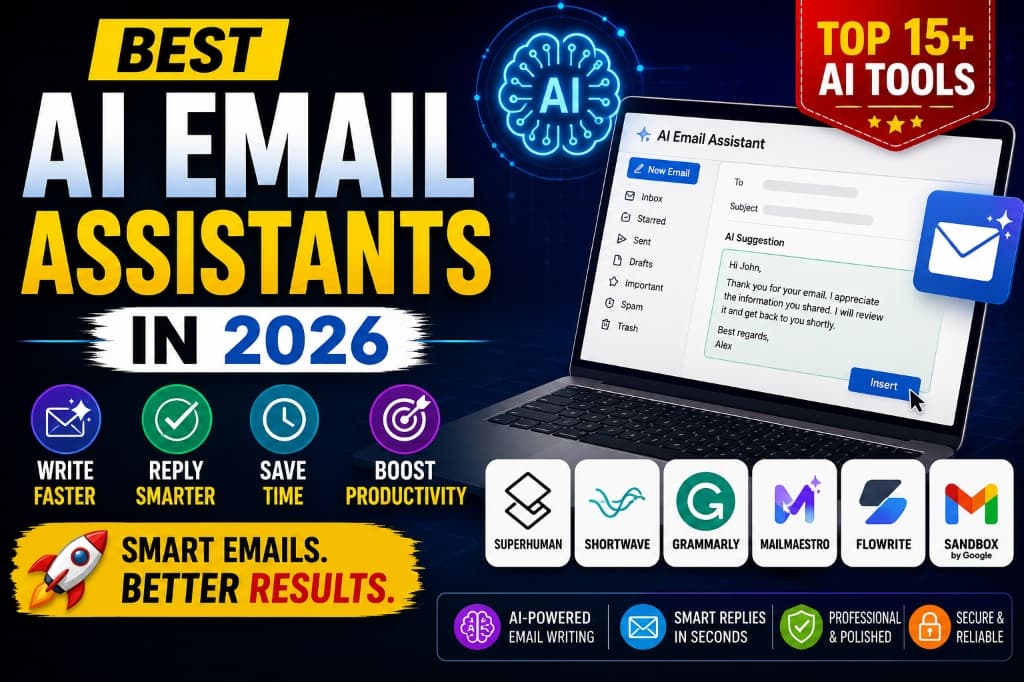
Choose an assistant that works inside your existing email system and solves one clearly defined problem. Gemini in Gmail is the most direct starting point for eligible Gmail and Google Workspace users. Copilot in Outlook is the natural fit for eligible Microsoft 365 users. Superhuman Mail and Shortwave are alternative email clients for people who want a redesigned, AI-centred inbox. Grammarly focuses on writing quality across apps, MailMaestro focuses on drafting and summarising inside supported mail environments, Missive is oriented toward collaborative inboxes, and SaneBox focuses more on sorting than generative writing.
There is no universal winner. A useful choice depends on your provider, volume, team workflow, data policy, accessibility needs and budget. Test with non-sensitive email first, review every draft before sending, and verify current compatibility, limits and pricing on the official product site.
What an AI Email Assistant Can—and Cannot—Do
An AI email assistant can turn bullet points into a draft, shorten or change the tone of text, summarise a long thread, identify possible action items, search past messages or help group lower-priority mail. The exact functions vary: some are features inside Gmail or Outlook, some replace your email client, and others are writing layers or inbox-sorting services.
These tools do not understand every relationship, promise or business rule. A summary can omit a deadline; a draft can invent a commitment, soften a necessary warning or expose information to the wrong recipient. An inbox label can misclassify an urgent message. Human review remains essential for legal, financial, medical, HR, security, customer-complaint and other high-impact communication.
AI also does not fix a broken communication process. If a team sends unnecessary status emails, uses unclear ownership or copies too many recipients, adding automated drafts may increase the volume. Start by reducing avoidable email, then automate the repetitive parts that remain.
How This Comparison Was Prepared
This guide was reviewed using publicly available product and support documentation. We considered where each tool works, the email tasks it supports, whether it replaces the inbox or adds to it, and the main operational limitation a buyer should check. We did not assign invented numerical scores or claim hands-on tests that were not documented.
Product names, features, eligibility, usage limits and prices can change. This article therefore avoids fixed price promises and links to official sites for current details. A product's inclusion means it fits a recognizable email workflow; it is not an endorsement for every organisation or a guarantee of productivity gains.
Security claims require context. A certification or encryption statement does not by itself determine whether a tool is suitable for your data. Your organisation must review permissions, retention, model-training terms, subprocessors, regional requirements, administrative controls and the sensitivity of the mailbox.
AI Email Assistants at a Glance
| Tool | Best fit | Useful tasks | Works with | Important limitation |
|---|---|---|---|---|
| Gemini in Gmail | Eligible Google users | Drafts, summaries, suggested replies and inbox questions | Gmail / Google Workspace | Features depend on plan, account and region |
| Copilot in Outlook | Microsoft 365 workflows | Drafting, coaching and thread summaries | Supported Outlook versions | Eligibility and capabilities vary by license |
| Superhuman Mail | High-volume individual inboxes | Auto Drafts, reminders, labels and split inboxes | Supported Gmail and Outlook accounts | Advanced automation may require higher plans |
| Shortwave | Gmail users wanting AI search | Inbox search, summaries, drafting and organisation | Gmail-centred workflows | Not a general Outlook replacement |
| Grammarly | Writing support across apps | Clarity, tone, rewriting and proofreading | Supported browsers, desktop and mobile contexts | Does not provide full inbox triage |
| MailMaestro | Drafting within existing mail apps | Compose, improve and summarise | Supported Gmail and Outlook environments | Confirm current add-in and plan availability |
| Missive | Teams sharing email responsibility | Collaborative drafts, assignment and internal discussion | Shared and team inbox workflows | May be excessive for one personal inbox |
| SaneBox | Inbox sorting without changing clients | Filtering, follow-up reminders and distraction reduction | Multiple email providers | Not primarily a generative email writer |
1. Gemini in Gmail — For Google-Centred Workflows
Google's current Gmail help documentation lists thread summaries, suggested responses, email drafting, questions about previous mail and information retrieval from connected Google services among Gemini's supported uses. Some inbox organisation actions are limited to eligible beta or experimental access, so do not assume every account shows the same controls.
Use it for: summarising a long internal thread, drafting a reply from clear bullet points, locating a detail from previous mail, or turning a conversation into a proposed action list. The advantage is context within Gmail rather than copying private messages into an unrelated chat window.
Check before choosing: Gemini in Gmail requires an eligible Google Workspace or Google AI plan for the relevant feature. Availability can differ by account type, language, region and administrator settings. Review a generated summary against the original thread, especially dates, owners and negations.
Official information: Google's Gemini in Gmail guide.
2. Copilot in Outlook — For Microsoft 365 Email
Microsoft documents three particularly relevant Outlook capabilities: Summary by Copilot for extracting key points from a thread, Draft with Copilot for generating a message from instructions, and Coaching by Copilot for feedback on tone, sentiment and clarity. Availability depends on the Outlook version, account and Microsoft license.
Use it for: catching up after an absence, drafting a project update, reviewing whether a sensitive response sounds too abrupt, or summarising a supported attachment where that feature is available. Numbered references in some summaries can help users jump back to the relevant message, but the source still needs to be read before acting.
Check before choosing: confirm which Copilot features your organisation has enabled and which Outlook client you use. Do not infer that a consumer account, business account and enterprise add-on have identical access or data controls.
Official information: Microsoft's Copilot in Outlook documentation.
3. Superhuman Mail — For Structured, High-Volume Inbox Work
Superhuman combines an alternative email interface with keyboard-oriented processing and AI organisation. Its current documentation describes Split Inboxes, Auto Labels, Auto Reminders and Auto Drafts. Auto Drafts can prepare responses to incoming mail and follow-ups for messages awaiting a reply; drafts remain available for the user to review rather than being automatically sent.
Use it for: separating important person-to-person messages from lower-priority mail, keeping follow-ups visible and preparing first drafts for repeat correspondence. It makes the most sense when inbox processing is a significant part of the job and the user is willing to adopt a different workflow.
Check before choosing: advanced features can depend on plan level. Review supported providers, account setup, administrator requirements and the effect of granting broad mailbox access. Speed-focused design is not automatically valuable for a low-volume inbox.
Official information: Superhuman Auto Drafts documentation.
4. Shortwave — For Gmail Search and Conversation Context
Shortwave is a Gmail-centred email client that emphasises AI search, summaries, drafting and inbox organisation. Its distinguishing use case is asking questions across email context—for example, locating a decision or collecting messages related to a project—rather than treating every thread as an isolated writing task.
Use it for: searching a large Gmail history using natural-language questions, summarising lengthy conversations, drafting context-aware replies and grouping related messages. This can be useful for project leads, support staff or freelancers who repeatedly retrieve details from old threads.
Check before choosing: it is primarily relevant to Gmail-based workflows. Before connecting a work account, confirm retention, permissions, search-history limits, administrator approval and current plan restrictions. Test whether retrieved results are complete by comparing them with native Gmail search.
Official information: Shortwave product website.
5. Grammarly — For Tone, Clarity and Proofreading
Grammarly is better understood as a writing assistant than an inbox-management system. It can help revise clarity, correctness, concision and tone in supported writing environments. That makes it useful for people who write across email, documents and browser-based tools but do not need an entirely new email client.
Use it for: checking a customer response for clarity, shortening an overly long paragraph, adjusting formality or catching grammar issues before sending. It is most useful after the writer has decided what the message should say; it should not invent the policy, price, deadline or promise being communicated.
Check before choosing: supported apps and AI limits vary across devices and plans. Determine whether your organisation permits writing assistants in fields containing client or employee data. A polished sentence can still communicate the wrong fact.
Official information: Grammarly product website.
6. MailMaestro — For Drafting and Summaries in Existing Email Apps
MailMaestro positions its assistant around composing, improving and summarising email in supported Gmail and Outlook workflows. Unlike a replacement client, an add-in style tool may be easier for a user who wants AI drafting without moving daily email into a completely different interface.
Use it for: turning notes into a reply, creating alternative tones, condensing a long thread and drafting a meeting-related message. The practical value depends on whether it works smoothly in the exact account and client your organisation supports.
Check before choosing: verify its current Gmail/Outlook availability, plan limits, language support, privacy terms and enterprise administration options. Do not repeat broad claims such as “highly secure” without comparing the vendor's controls with your own requirements.
Official information: MailMaestro product website.
7. Missive — For Collaborative and Shared Inboxes
Missive combines email with team collaboration, including assignment and internal discussion around messages. Its AI options are relevant when several people jointly handle support, operations or sales mail and need a shared process for preparing and approving responses.
Use it for: assigning an incoming request, discussing it privately with a teammate, preparing a draft and keeping ownership visible. This solves a different problem from a personal writing assistant: the primary benefit is coordination around communication.
Check before choosing: determine how AI is configured, which provider processes content, who can access shared conversations and how roles and audit needs are handled. A team platform adds configuration and training that a solo user may not need.
Official information: Missive product website.
8. SaneBox — For Sorting Rather Than AI Writing
SaneBox belongs in this comparison because many users asking for an “AI email assistant” actually need less inbox noise, not more generated text. It works as a filtering and reminder layer for supported email services rather than as a full generative drafting environment.
Use it for: moving lower-priority messages away from the main inbox, training categorisation and resurfacing messages that need follow-up. It may be a better fit when writing is not the bottleneck and the user wants to keep the existing mail client.
Check before choosing: review what mailbox access the service requires, how mistakes are corrected and whether the sorting behavior suits critical mail. No automated filter should be trusted without checking its secondary folders during the learning period.
Official information: SaneBox product website.
Which Tools Were Removed from the Main Shortlist—and Why?
The older version mixed personal inbox assistants with cold-outreach platforms and general marketing generators. Lavender, Hunter Campaigns and Skylead can be relevant to sales outreach, while Copy.ai and Jasper can help generate marketing copy, but these are not direct substitutes for an assistant that summarises and organises a normal Gmail or Outlook inbox.
A shorter task-based comparison is more useful than presenting 15 unrelated products as if they were scored under controlled tests. If your actual requirement is prospecting or automated campaigns, evaluate deliverability, consent, suppression lists, regional anti-spam law, CRM integration and domain reputation separately. Do not choose a bulk-outreach product using a personal-inbox checklist.
How to Choose: A Six-Question Decision Process
- Where is your email? Start with Gmail, Outlook, another provider or a shared support inbox.
- What is the bottleneck? Choose among writing, catching up, search, triage, follow-up or team ownership.
- How sensitive is the mailbox? Personal newsletters and regulated client records require different controls.
- Who administers it? A company may require approval, single sign-on, audit logs or data residency.
- What is the total workflow cost? Include migration, learning, review time and extra seats—not only subscription price.
- Can you measure improvement? Define a small test before subscribing.
For a personal Gmail account, begin with available native Gmail features before moving to a replacement client. For a Microsoft-heavy organisation, check eligible Outlook capabilities and administrator policy first. For shared customer mail, prioritise assignment, approvals and auditability. For writing across many apps, a writing assistant may be enough.
Avoid buying on a claim such as “save five hours every week.” Measure your own baseline: messages processed, median response time, missed follow-ups, time spent drafting and number of corrections. Run a two-week pilot with similar work, then compare results without assuming that faster always means better.
Privacy and Security Checklist Before Connecting Your Inbox
Email contains far more than message text: contact details, attachments, internal decisions, authentication links and long-lived relationship history. Before granting access, inspect the exact permission screen. Ask whether the service can read, modify, delete or send mail; whether it needs calendar and contact access; and whether a narrower permission or test account is possible.
For work use, review data retention, deletion, subprocessors, model-training settings, encryption, incident response, regional processing, administrator controls, single sign-on, audit logs and offboarding. A vendor saying “SOC 2” is not a complete risk assessment, and compliance requirements differ by industry and jurisdiction.
Use least privilege. Do not connect a legal, healthcare, finance, HR or executive mailbox without organisational approval. Remove access when a pilot ends, periodically review connected apps, enable multi-factor authentication and keep the human send/approval step for consequential messages.
A Safe AI-Assisted Email Workflow
First, read the message and identify the sender's actual request. Write four facts before invoking AI: desired outcome, facts that must be included, commitments you are authorised to make and anything that must not be disclosed. Ask for a draft using only those facts. This sharply reduces the risk of a fluent but invented response.
Second, review the result with a fixed checklist: correct recipient and names, accurate dates and numbers, complete answers, appropriate tone, no invented commitment, no confidential material, correct attachments and a clear next action. Open the underlying thread when reviewing a summary instead of trusting its extraction.
Third, use AI after sending only for low-risk follow-up support: reminders, categorisation or a proposed next reply. Track mistakes during the pilot. If the tool repeatedly misses a type of message, exclude that workflow instead of trying to automate everything.
12 Practical AI Email Templates
1. Reply from verified facts
Draft a concise reply using only the facts below. Do not invent dates, prices, policies or commitments. Answer each question from the sender in the same order. Mark any missing information with [NEEDS INPUT]. Desired tone: professional and warm. Facts: [PASTE]. Incoming email: [PASTE].2. Thread summary
Summarise this thread into decisions, open questions, action items, owners and deadlines. For every deadline or commitment, quote the exact supporting sentence and identify the sender. If the thread conflicts with itself, show the conflict instead of resolving it.3. Executive briefing
Create a five-line briefing from this email thread: issue, current status, decision needed, material risk and next deadline. Use only the thread. Do not infer sentiment or urgency unless the sender states it.4. Shorten without losing meaning
Reduce this email to under [NUMBER] words while preserving every factual detail, condition, deadline and question. Remove repetition and filler. Show a checklist of retained commitments after the revised draft.5. Tone check
Review this draft for wording that may sound accusatory, vague, defensive or overly apologetic. Explain each issue, then suggest precise edits without weakening necessary boundaries or changing facts.6. Meeting follow-up
Draft a follow-up with: purpose, decisions made, action-item table with owner and date, unresolved questions and next meeting if explicitly confirmed. Put [VERIFY] beside any detail not supported by my notes. Notes: [PASTE].7. Customer complaint response
Draft an acknowledgement that accurately restates the customer's issue, avoids admitting liability, lists the next step I am authorised to take and gives no invented resolution date. Facts and approved policy language: [PASTE]. Complaint: [PASTE].8. Decline request respectfully
Write a direct, respectful decline. State the decision early, give only the approved reason, offer the permitted alternative and avoid false hope. Keep it under [NUMBER] words. Approved facts: [PASTE].9. Follow-up after no response
Draft a brief follow-up referencing the original request, why a response is needed and the real deadline. Do not use guilt, artificial urgency or 'just checking in.' Original email and context: [PASTE].10. Handover email
Create a handover email with current status, completed work, next actions, owners, dependencies, files/links and risks. Preserve exact dates. Flag any task without an owner. Notes: [PASTE].11. Inbox triage rules
Based on these anonymised sample subject lines and senders, propose inbox rules for urgent, action this week, waiting, reference and low priority. Explain false-positive risks and do not recommend automatic deletion. Samples: [PASTE].12. Final pre-send audit
Audit this draft without rewriting it. Check recipient assumptions, names, dates, numbers, promises, unanswered questions, confidentiality, attachment references, tone and next action. Return pass, concern or needs verification for each item. Draft: [PASTE].Common Failure Modes
Invented details: the draft fills a gap with a plausible date or policy. Use explicit source boundaries and placeholders. Lost nuance: the summary removes a condition such as “only if approved.” Compare decisions with the original sentences. Wrong tone: a polite rewrite becomes evasive or a concise rewrite becomes abrupt. Evaluate the relationship and stakes, not a generic tone label.
Automation bias: users approve drafts faster because they look polished. Require a checklist for consequential mail. Misclassification: an important automated notice lands in a low-priority folder. Audit secondary folders and create exceptions. Over-sharing: copied thread content includes personal or confidential information that was unnecessary for the task.
More email, not less: effortless drafting encourages extra messages. Before replying, ask whether the issue belongs in a shared document, task system, meeting or no response at all. AI should improve communication quality, not merely increase output.
AI Email Assistant vs AI Email Generator
An email assistant usually has mailbox context and may search, summarise, triage or manage follow-ups. An email generator generally turns a standalone prompt into text without understanding the actual inbox. A sales engagement platform manages sequences and outreach at scale. These categories overlap, but their permissions, risks and evaluation criteria differ.
If you only need to improve wording, use the narrowest writing tool and paste a redacted draft. If you need thread summaries, a native or connected assistant may be appropriate. If you need shared ownership, choose a collaborative inbox. If you need outbound campaigns, evaluate consent and deliverability separately rather than assuming a general email assistant covers them.
Frequently Asked Questions
Q1: What is an AI email assistant?
A: It is software that supports email tasks such as drafting, summarising, searching, sorting or follow-up. Capabilities and required mailbox permissions vary by product.
A: It is software that supports email tasks such as drafting, summarising, searching, sorting or follow-up. Capabilities and required mailbox permissions vary by product.
Q2: Are AI email assistants safe?
A: Safety depends on the data, permissions, vendor controls and your organisation's requirements. Review privacy and security documentation and avoid connecting sensitive work mail without approval.
A: Safety depends on the data, permissions, vendor controls and your organisation's requirements. Review privacy and security documentation and avoid connecting sensitive work mail without approval.
Q3: Can an AI assistant send email automatically?
A: Some products or configurations may support actions, while others only create drafts. Keep review and approval enabled for consequential communication and confirm current settings before use.
A: Some products or configurations may support actions, while others only create drafts. Keep review and approval enabled for consequential communication and confirm current settings before use.
Q4: Which assistant is suitable for Gmail?
A: Eligible users can start with Gemini in Gmail. Shortwave and Superhuman offer alternative Gmail-centred workflows. Compare whether you need native assistance, AI search or a replacement client.
A: Eligible users can start with Gemini in Gmail. Shortwave and Superhuman offer alternative Gmail-centred workflows. Compare whether you need native assistance, AI search or a replacement client.
Q5: Which assistant is suitable for Outlook?
A: Copilot is integrated into supported Outlook experiences for eligible accounts. Superhuman and MailMaestro may also support certain Outlook workflows; verify current compatibility and administrator policy.
A: Copilot is integrated into supported Outlook experiences for eligible accounts. Superhuman and MailMaestro may also support certain Outlook workflows; verify current compatibility and administrator policy.
Q6: Can AI accurately summarise long email threads?
A: It can provide a useful first pass, but may omit conditions, changes or minority viewpoints. Check decisions, owners and dates against the original messages.
A: It can provide a useful first pass, but may omit conditions, changes or minority viewpoints. Check decisions, owners and dates against the original messages.
Q7: Can AI match my writing style?
A: Some tools personalise drafts or respond to tone instructions. Style matching does not guarantee factual accuracy, appropriateness or that the message truly represents your intent.
A: Some tools personalise drafts or respond to tone instructions. Style matching does not guarantee factual accuracy, appropriateness or that the message truly represents your intent.
Q8: Is a free AI email assistant enough?
A: It may be enough for occasional drafting or summarisation. Free access and limits change, so compare current official plans and avoid uploading sensitive mail merely to test a feature.
A: It may be enough for occasional drafting or summarisation. Free access and limits change, so compare current official plans and avoid uploading sensitive mail merely to test a feature.
Q9: Will AI-generated email avoid spam filters?
A: No tool can guarantee delivery. Consent, authentication, sender reputation, complaint rates, content and sending behaviour all matter. AI-generated personalisation is not permission to send unsolicited mail.
A: No tool can guarantee delivery. Consent, authentication, sender reputation, complaint rates, content and sending behaviour all matter. AI-generated personalisation is not permission to send unsolicited mail.
Q10: How should a team evaluate an AI email tool?
A: Run a limited pilot with approved, low-risk mail. Measure accuracy, corrections, missed messages, response time and user effort, while security and legal teams review permissions and data handling.
A: Run a limited pilot with approved, low-risk mail. Measure accuracy, corrections, missed messages, response time and user effort, while security and legal teams review permissions and data handling.
Related Productivity Guides
Email is only one part of a work system. For a broader task-based comparison, read our AI productivity tools guide. Choose tools only after defining the actual work, data and owner involved.
Final Recommendation
Start with the assistant already supported by your email provider and organisation. Test one narrow workflow—such as thread summaries or first drafts—for two weeks. Review every result, record corrections and compare the outcome with your baseline. Move to a specialised client only if native features do not solve the problem.
For most users, the best AI email assistant is not the one with the longest feature list. It is the one that fits the existing inbox, needs the least unnecessary access, produces drafts you can verify quickly and measurably reduces missed work without creating new communication risk.
This article was substantively reviewed on September 4, 2026. Product availability and terms change; use the linked official documentation for the latest information before purchasing or connecting an inbox.